Can Canon Printers Use Pigment Ink? A Complete Guide to Compatibility and Practical Use
In the field of printing, "ink selection" has always been a key issue that users cannot avoid. Especially the question "can Canon printers use pigment ink" frequently appears in discussions among photography enthusiasts and office workers. To answer this question, we cannot simply say "yes" or "no". It requires a comprehensive analysis combining the characteristics of pigment ink, the design principles of Canon printers, and the needs of different usage scenarios. This article will break down the compatibility logic from a scientific perspective and provide practical suggestions to help you thoroughly understand the relationship between the two.
1. First, understand: What is pigment ink? How is it different from the dye ink commonly used by Canon?
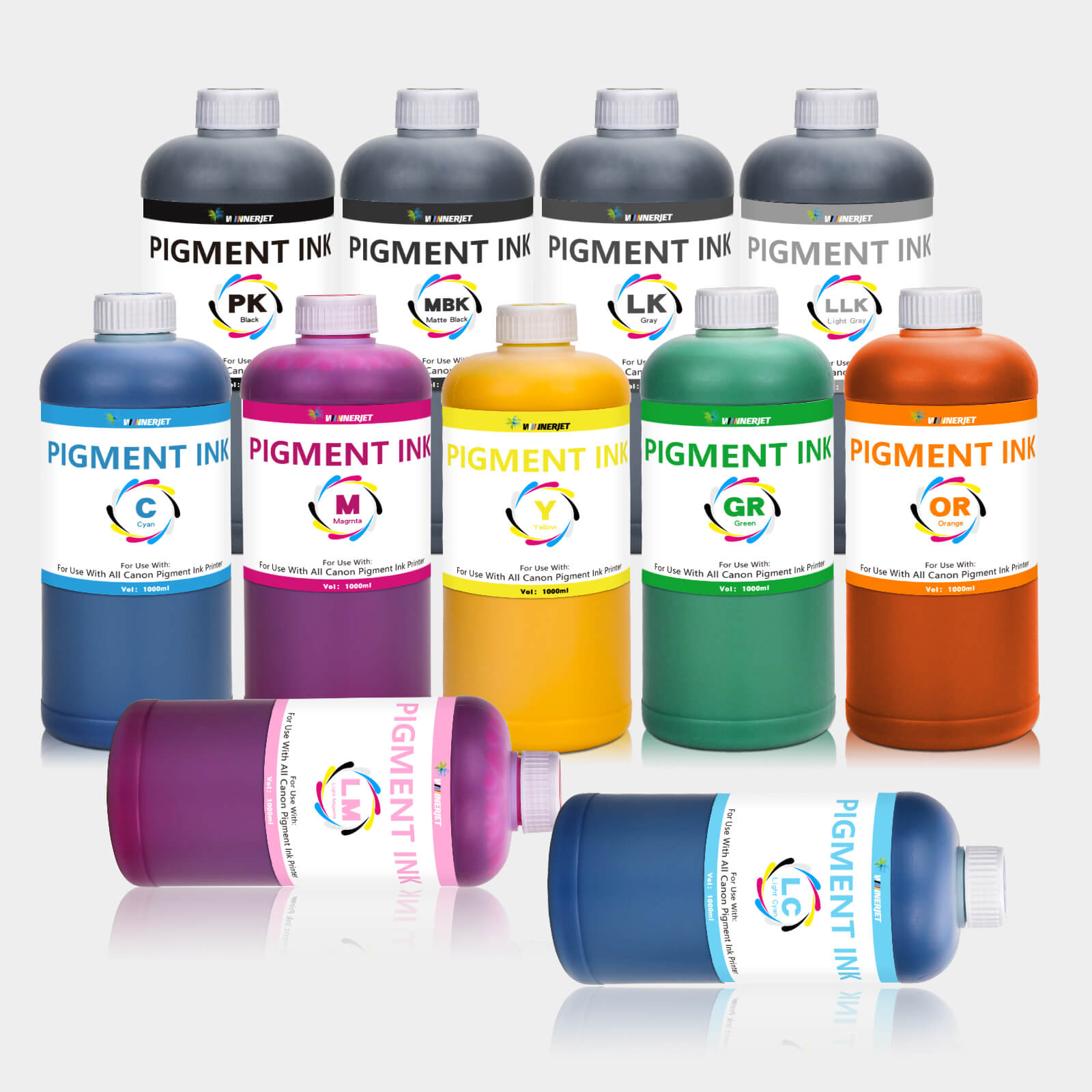
To determine whether a Canon printer can use pigment ink, we must first clarify the "identity" of pigment ink. In terms of composition, pigment ink is made of tiny solid pigment particles (usually 0.1-1 micron in diameter) dispersed in a water-based or solvent-based carrier, like "toner ground into liquid"; while the dye ink commonly used in Canon printers at the factory is dye molecules directly dissolved in water, similar to "sugar dissolved in tea".
The core differences between the two directly affect compatibility:
- Particle size and clogging risk: Pigment particles are usually 100-1000 times larger than dye molecules, while Canon printers (especially inkjet models) have extremely small nozzle apertures (some models only 20-30 microns). If pigment particles are too coarse or unevenly dispersed, they easily adhere to the inner walls of the nozzles, which may cause clogging after long-term use. This is the primary "technical threshold" for using pigment ink in Canon printers.
- Water resistance and preservation: The solid particles of pigment ink are insoluble in water. After printing, they can form a protective film on the paper surface, with extremely strong water resistance and anti-fading ability. They are not easily smudged by outdoor exposure or water wiping, making them suitable for printing photos, posters and other content that needs long-term preservation; while dye ink easily spreads when exposed to water, making it more suitable for printing ordinary documents and temporarily used materials.
- Color performance and paper compatibility: Dye ink has more vivid and delicate colors and can reproduce richer gradients, which is compatible with Canon printers' "photo-grade printing" features (such as photo printers paired with the EOS R series); pigment ink has slightly lower color saturation but stronger coverage, and performs more stably on non-specialty printing papers such as plain paper and coated paper.
2. Key answer: Can Canon printers use pigment ink? Check compatibility by model
Canon printers do not "blanketly" prohibit the use of pigment ink, but depend on the design positioning of specific models. From the product classification perspective, they can be divided into three categories: "explicitly supported", "cautious trial", and "not recommended". Each category has different adaptation logic and risks.
(1) Canon models that explicitly support pigment ink: Designed for "durable printing"
Some mid-to-high-end Canon models considered the need to use pigment ink during research and development, and even came with pigment ink cartridges from the factory. These models can safely use compliant pigment ink. Typical representatives include:
- Canon PIXMA Pro series professional photo printers (such as PIXMA Pro-100, Pro-300): As models for photography studios and professional creators, they adopt an "8-color independent cartridge" design, where the black cartridge uses pigment ink by default, and the color cartridges can choose between pigment or dye types according to needs. The official clearly states "supports pigment-based black ink", and the nozzle diameter and ink channels are optimized to accommodate the passage of pigment particles and avoid clogging.
- Canon MAXIFY series commercial inkjet printers (such as MAXIFY GX3020, GX7020): Focusing on "high-speed, durable office printing", and addressing the need for business documents to be waterproof and tamper-proof, the official recommends using Canon original pigment ink (such as PGI-2800 series). The ink particles have undergone special treatment, with diameters controlled within 500 nanometers, perfectly matching the model's nozzles. They also have UV resistance and anti-fading properties, suitable for printing contracts, reports and other important documents.
- Canon imagePROGRAF series large-format printers (such as imagePROGRAF PRO-1000): Used for outdoor advertising and engineering drawing printing, the ink systems of these models are completely designed for pigment ink, using "micro piezoelectric nozzles" that can precisely control the ejection of pigment particles. They even support third-party compliant pigment ink, and the official also provides corresponding color management software to ensure stable printing results.
The common feature of these models is that the official manual clearly mentions "support for pigment ink" and there are corresponding original pigment ink models to choose from. When using, you only need to select specifications matching the model (such as cartridge size, ink capacity) without worrying about compatibility issues.

(2) Cautious trial type: Entry-level home models, need to meet "strict conditions"
Canon entry-level home printers (such as PIXMA TS series, MG series, such as TS3520, MG3620) are the category with the most user questions. They come with dye ink by default from the factory, and the official does not explicitly support pigment ink, but it is not absolutely impossible to use, but needs to meet "three prerequisites", otherwise failures are likely to occur:
- Choose "Canon-specific compatible pigment ink": The particles and formulas of ordinary pigment ink may not match the nozzles of home models. You need to choose "Canon-specific pigment ink" launched by third-party brands - this type of ink will adjust the particle size according to the nozzle aperture of Canon home models (usually controlled below 1 micron) and add anti-clogging agents to reduce particle adhesion. For example, a certain brand's pigment ink for Canon TS series clearly states "particle diameter ≤ 800 nanometers" and "compatible with Canon FINE print heads", which can reduce the risk of clogging.
- Thoroughly clean the original ink channels: If dye ink has been used before, you need to first clear the residual dye ink through the printer's "deep cleaning" function (operated in printer settings or supporting software) to avoid mixing the two inks. Because the dissolution characteristics of dye ink are different from pigment ink, mixing may cause precipitation, block the ink channels, or even damage the print head.
- Use regularly to avoid ink drying: Home printers are used less frequently, and the solid particles of pigment ink tend to settle when left standing. If not used for a long time (more than 1 month), the ink at the nozzles may solidify. Therefore, if using pigment ink, you need to print 1-2 test pages (such as color test charts) at least once a week to keep the nozzles unobstructed.
Even if the above conditions are met, there are still risks in using pigment ink in entry-level home models: first, the print head life may be shortened (friction from pigment particles will accelerate nozzle wear), and second, color performance may not be as good as dye ink (the color management system of some models is not optimized for pigment ink, which may easily cause color deviation).
(3) Models not recommended for pigment ink: "Innately incompatible" in design
The following two types of Canon printers are not recommended to use pigment ink at all. Forced use may directly cause hardware damage and even lose official warranty:
- Canon thermal inkjet printers (such as some models in the early PIXMA iP series): The print heads of these models achieve ejection by "heating ink to generate bubbles", and the solid particles of pigment ink may melt and adhere to the heating elements at high temperatures, causing the heating heads to clog or burn out and fail to work normally.
- Canon all-in-one cartridge printers (such as some MG series models, where the cartridge is integrated with the print head): The ink channels of all-in-one cartridges are extremely thin, and the print head cannot be replaced separately. If pigment ink clogs the nozzles, the entire cartridge can only be replaced, which is very costly. At the same time, the official has strict requirements on ink compatibility for such models, and using non-recommended ink will be regarded as "man-made damage" and the warranty will be refused.
3. Practical guide: If choosing to use pigment ink, these details determine success or failure
If you confirm that your Canon model belongs to the "explicitly supported" or "cautious trial with conditions met" category, when using pigment ink, you also need to pay attention to the following 4 key details to ensure printing results and equipment safety:
-
Priority to choose original or "compliant compatible" ink, reject "three no products"
Although Canon original pigment ink (such as PGI series) is more expensive, it has undergone strict compatibility testing. Parameters such as particle size, pH value, and viscosity are all matched with the model, which can minimize the risk of clogging. If choosing third-party compatible ink, pay attention to two indicators:
- Particle size: Requires "average particle diameter ≤ 1 micron" and uniform particle distribution (can check product description or third-party test reports);
- Whether it has passed "Canon compatibility certification": Some third-party brands will send their ink for testing and obtain Canon's compatibility certification. Such products have lower risks.
Never use unbranded, unlabeled "three no pigment ink". The particles of such ink may be uneven in thickness and even contain impurities, which can easily damage the print head.
-
Install ink correctly to avoid air entering
When installing pigment ink cartridges, first invert the cartridge and shake it for 10-15 seconds (gently, avoiding violent shaking that may cause particle sedimentation) to evenly disperse the pigment particles; then remove the protective plug of the cartridge and quickly insert it into the printer's cartridge slot to avoid air entering the ink channel. If a "ink not recognized" prompt appears after installation, do not force plugging and unplugging. Restart the printer or perform "ink reset" through supporting software (such as Canon IJ Setup).
-
Adjust printer settings to adapt to pigment ink characteristics
Before printing, adjust the parameters in the printer settings to optimize the printing effect:
- Paper type selection: Choose "photo paper", "thick paper" or "pigment ink special paper", avoid choosing "plain paper" (plain paper has strong water absorption, which may cause pigment particles to penetrate too quickly and affect water resistance);
- Print quality setting: Adjust the "print resolution" to medium-high level (such as 1200×1200dpi or higher), because the color delicacy of pigment ink is slightly weaker, and high resolution can make up for this deficiency;
- Color adjustment: If color deviation occurs, you can enable the "pigment ink color calibration" function in the printing software (supported by some Canon models), or manually adjust the RGB color parameters to make the color closer to expectations.
-
Regular maintenance to extend equipment life
Canon printers using pigment ink require more frequent maintenance than when using dye ink:
- Weekly "nozzle check": Print a test page through the printer's "nozzle check" function. If breakpoints or blurriness are found in the lines of a certain color, perform "regular cleaning" immediately;
- Monthly "deep cleaning": If regular cleaning cannot solve the clogging problem, perform "deep cleaning" (note: deep cleaning will consume more ink, ensure sufficient ink remaining);
- Handling when not in use for a long time: If not used for more than 1 month, first print a full-color test page, then take out the pigment ink cartridge, seal it and store it upside down (to avoid particle sedimentation), shake it again before use and reinstall.
4. Common questions and answers: Solving "high-frequency confusion" in use
1. After using pigment ink, the printer has "clogged nozzles", how to deal with it?
First try "regular cleaning" (operated in printer settings). If ineffective, you can handle it according to the following steps:
- Prepare a cup of warm water, soak the print head (if it is a split print head) or the nozzle part of the cartridge in warm water (the water level does not exceed the nozzle to avoid water ingress), and let it stand for 10-15 minutes;
- Take it out and gently wipe the nozzle with a clean lint-free cloth, blot the residual water, then reinstall and perform "nozzle check";
- If the nozzle is still clogged, you can use a "print head dredging tool" (third-party compliant products), dredge according to the instruction manual, but pay attention to the strength to avoid damaging the nozzle.
2. How long can photos printed with pigment ink on Canon printers be preserved?
Under the premise of correct use and preservation, photos printed with original pigment ink on Canon supported models can be preserved for 10-15 years on ordinary photo paper, and more than 20 years on professional photo paper (such as Canon professional glossy photo paper), with significant waterproof and UV protection effects. If using third-party compliant pigment ink, the preservation time will be slightly shorter (about 5-10 years), depending on the ink quality and storage environment (avoid high temperature, high humidity, and direct strong light).
3. Will using pigment ink affect the warranty of Canon printers?
It depends on the situation:
- If your model is "explicitly supported" and you use Canon original pigment ink, you can still enjoy official warranty if a malfunction occurs;
- If you use third-party compatible pigment ink, even if the model supports it, the official may refuse warranty on the grounds of "using non-original consumables" (specifically, you need to check the warranty terms);
- If the model is "not recommended for use", and damage is caused by forced use of pigment ink, the official will not provide warranty.
5. Conclusion: Choose rationally, balance needs and equipment safety
Returning to the original question "can i use pigment ink on canon printers", the answer is: it depends on the model, but the core principle is "matching design, compliant use".
If you need to print waterproof, durable content (such as photos, outdoor posters), and the model is "explicitly supported" (such as Pro series, MAXIFY series), choosing original or compliant compatible pigment ink is a cost-effective choice; if your model is an entry-level home model and only occasionally needs waterproof printing, you can try cautiously, but you need to bear certain risks; if the model is "innately incompatible", it is recommended to give up, choose dye ink or replace with a supported model.
In short, pigment ink is not a "taboo" for Canon printers, but it is also not a "universal product". Only by combining your own needs, model characteristics, scientific selection, and correct use can pigment ink exert its advantages while protecting the service life of the printer, achieving a win-win situation of "durable printing" and "equipment safety".