Mixing ink types might seem like a quick way to save time or money, but is it safe to combine pigment ink and dye ink in the same printer? The short answer is no—and here’s why.
This guide explains the risks, what happens when the two are mixed, and the right way to switch or refill your ink without damaging your equipment.
🧪 What Are Pigment and Dye Inks?
Before understanding why mixing is risky, it helps to know the difference.
🖤 Pigment Ink
- Color particles suspended in liquid
- Water-resistant and fade-resistant
- Common in office, label, textile, and DTF printing
🌈 Dye Ink
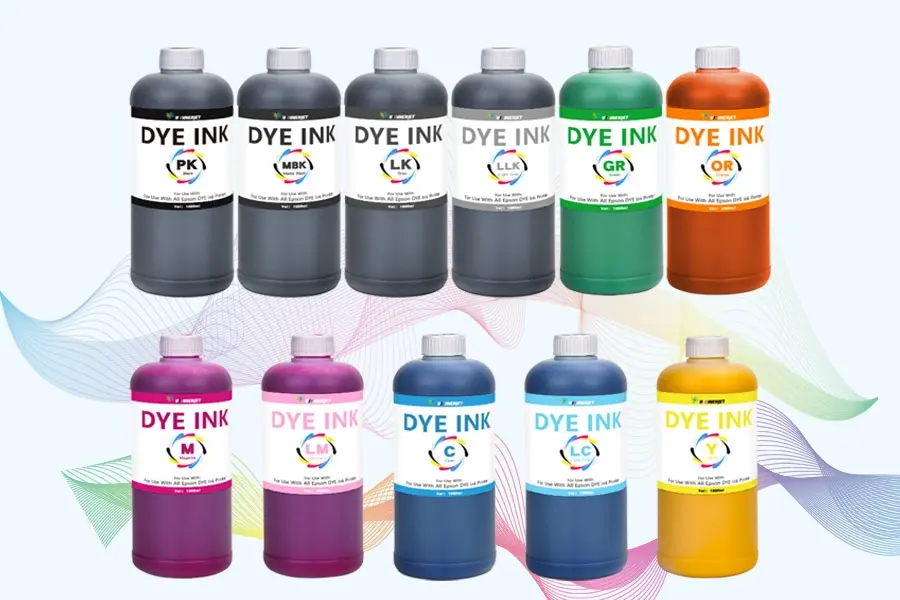
- Liquid-based colorants
- Bright and vibrant prints
- Often used for photos and fabrics
Since the two inks are made differently, they don’t behave the same inside your printer.

⚠️ What Happens If You Mix Them?
Combining dye and pigment ink—even partially—can create multiple issues:
❌ Chemical Reaction
The ink formulas don’t blend well, which may cause the mixture to separate or thicken.
🧱 Printhead Clogging
Pigment particles can clump with liquid dyes, leading to blocked nozzles and poor ink flow.
🎨 Color Shifts
Your prints might look dull, streaky, or discolored because the inks absorb and dry differently.
🛠️ Printer Damage
Internal components like lines, dampers, and cartridges can become clogged or permanently damaged.
🔄 Can You Switch from One Ink Type to Another?
Yes—but only with proper cleaning.
If you want to move from dye ink to pigment ink (or the other way around), follow this approach:
✅ Step 1: Empty the Old Ink
Remove the ink from the cartridges or tanks completely.
✅ Step 2: Flush the System
Use a compatible cleaning solution to rinse ink lines and printheads.
✅ Step 3: Refill with the New Ink
Install only one ink type (not a mix).
✅ Step 4: Test Prints
Make sure the nozzles are clean and the colors print evenly.
Skipping cleaning steps is the fastest way to clog the printer or ruin prints.
🛡️ Safer Alternatives to Mixing
If you’re running low on ink or thinking about switching, here are smarter choices:
💧 Option 1: Use One Ink Type Per Printer
Avoid cross-contamination entirely.
🔄 Option 2: Flush the System Before Switching Brands or Ink Types
Ink residue + new ink = clog risk.
🏷️ Option 3: Buy Compatible Ink from the Same Supplier
Using one trusted brand minimizes print quality issues and technical problems.
⭐ Why Winnerjet Inks Are a Safer Choice
Winnerjet offers high-quality pigment and dye inks made for smooth flow, accurate color, and printer safety. Whether you print textiles, labels, or photos, using a matched system prevents clogging, color shifts, and waste.
If you need to convert your printer or switch inks, Winnerjet can recommend the right solution and provide cleaning kits when needed.
📌 Final Takeaway
Mixing pigment and dye ink is not recommended.
They behave differently, react badly when combined, and can damage your printer or ruin prints.
If you’re switching inks, always:
- Flush out the previous ink
- Use one system at a time
- Stick with reliable brands
📞 Need High-Quality Ink for Your Printer?
Whether you use dye ink, pigment ink, or want to switch safely, Winnerjet provides compatible, clog-free solutions for different printers and applications.
👉 Contact us to get the right ink or cleaning kit for your system.
❓ FAQs
Can a printer work if both ink types are inside?
It might print temporarily, but clogging and streaking will occur soon.
Can I mix different brands of dye ink?
Only if the formulations are highly compatible, mixing brands always carries risk.
Is flushing really necessary before switching?
Yes, leftover ink can react with the new ink and damage the printhead.
What happens if I already mixed them?
Stop printing, flush the system immediately, and refill with one ink type.
Can one printer use both inks separately?
Only if it has separate lines and tanks designed for different ink types—not common in standard printers.