Can You Convert an Epson EcoTank ET-8550 to DTF Printing?
We recently received a question from a customer:
“I have a new Epson EcoTank ET-8550 and I would like to convert it to DTF. Is it possible, and which ink should I use?”
The short answer is: Yes, the Epson ET-8550 can be converted to DTF printing — but only with the right preparation and the correct DTF ink system.
The ET-8550 uses a PrecisionCore printhead and is originally designed for dye-based ink. To make it work for Direct to Film (DTF) printing, the original ink must be fully flushed and replaced with high-quality DTF pigment ink, including stable white ink. The success of the conversion does not depend only on the printer model — it depends heavily on the ink formulation, particle size control, and white ink stability.
In other words, the printer is only half of the equation. The ink system determines whether your DTF setup will run smoothly or constantly clog.
In this guide, we will explain whether the ET-8550 is suitable for DTF, what equipment is required, the potential risks, and how to choose a reliable DTF ink supplier to ensure long-term stability.
Is Epson EcoTank ET-8550 a Good Printer for DTF?
From a technical standpoint, the answer is: It depends on your expectations and maintenance ability.
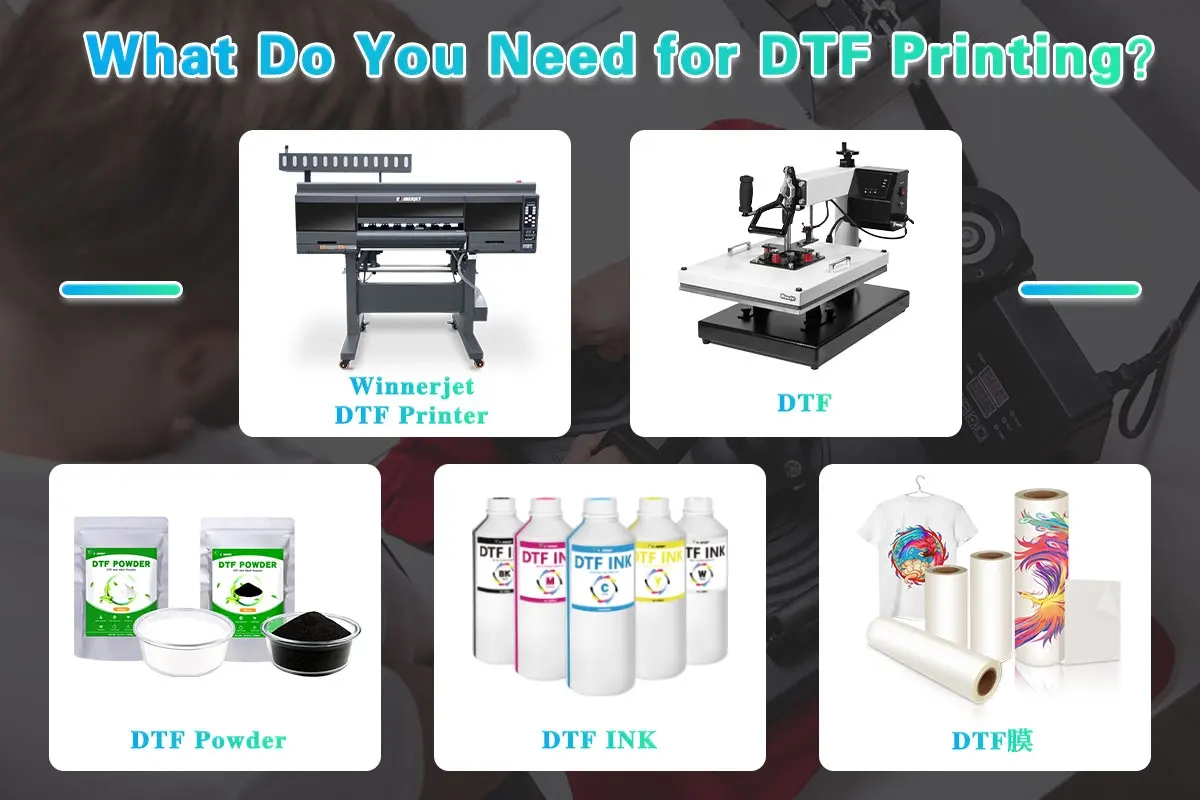
According to Winnerjet’s DTF engineers, the Epson ET-8550 can be used for DTF conversion, but it is not originally designed for pigment-heavy white ink circulation. It was built for dye-based photo printing, not for continuous white ink printing, which is the most demanding part of DTF technology.
The ET-8550 uses a PrecisionCore MicroTFP printhead, which is capable of handling pigment ink if properly maintained. However, white DTF ink contains titanium dioxide (TiO₂), a heavy pigment that naturally settles over time. Without proper daily agitation and controlled ink quality, clogging risks increase significantly.
Based on our factory testing experience:
- The ET-8550 can achieve good DTF results for small startup businesses.
- It is suitable for low-to-medium production volumes.
- It requires strict white ink management.
- It is not ideal for high-volume commercial DTF production.
In other words:
The ET-8550 can work for DTF — but it must be paired with stable, low-sedimentation DTF ink and disciplined maintenance routines.
For beginners entering the DTF market, it can be a reasonable entry-level solution. But long-term stability always depends more on ink chemistry than on printer hardware alone.
What Do You Need to Convert Epson ET-8550 to DTF Printing?
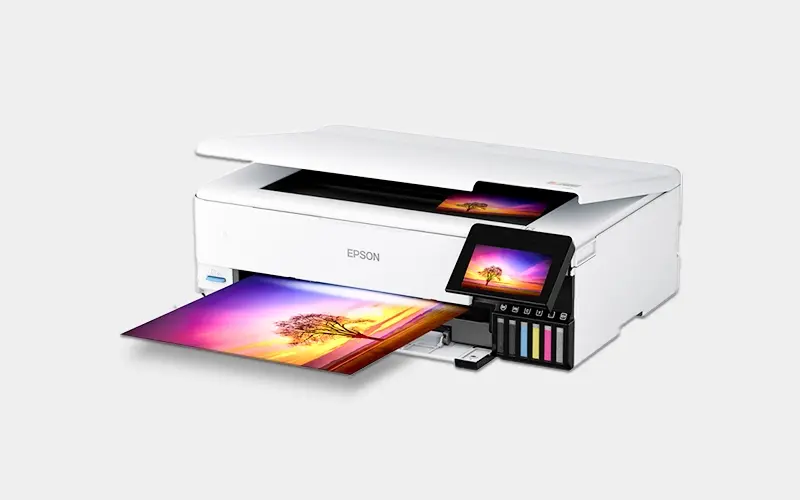
If you plan to complete an Epson ET-8550 DTF conversion, you will need more than just DTF ink. A proper setup requires a complete DTF workflow system.
Here is the essential equipment list:
1. DTF Ink for Epson ET-8550 (CMYK + White)
You must use high-quality pigment-based DTF ink specifically formulated for Epson printheads. The most critical component is white DTF ink, which must have:
- Controlled particle size
- Low sedimentation rate
- Smooth flow through MicroTFP nozzles
- Strong opacity for fabric transfer
Unstable ink is the main cause of clogging in ET-8550 DTF setups.
2. PET Film (DTF Transfer Film)
DTF printing requires coated PET film instead of regular paper. The coating quality affects ink adhesion, powder bonding, and final transfer durability.
3. DTF Powder (Hot Melt Adhesive Powder)
After printing, adhesive powder is applied to the wet ink layer. The powder melts during heat pressing and bonds the design to the garment.
4. Heat Press Machine
A stable heat press is required to transfer the cured film design onto fabric under controlled temperature and pressure.
5. RIP Software (White Ink Control)
Standard Epson drivers cannot manage white ink layering. A RIP software system is required to:
- Control white ink underbase
- Adjust ink density
- Optimize print resolution
- Manage color profiles
Without RIP control, DTF printing on ET-8550 will not function properly.
Important: Ink System Stability Is the Core
From our experience at Winnerjet’s DTF laboratory testing center, most Epson ET-8550 DTF conversion failures are not caused by hardware limitations — they are caused by unstable ink formulations.
White ink chemistry, viscosity balance, and pigment dispersion determine whether your printer will run smoothly or suffer frequent maintenance issues.
In short:
Converting Epson ET-8550 to DTF is not just changing ink — it is building a complete, stable ink workflow system.
How to Convert Epson ET-8550 to DTF (Technical Overview)
If you are searching for how to convert Epson ET-8550 to DTF, the process typically follows these structured steps. However, each step must be handled carefully to avoid printhead damage.
Step 1: Completely Flush the Original Ink System
The ET-8550 comes pre-filled with dye ink. Before adding DTF pigment ink, the entire ink tank system and ink lines must be flushed using professional cleaning solution.
Incomplete flushing can cause:
- Pigment contamination
- Ink reaction and gel formation
- Severe nozzle clogging
This is one of the most common mistakes beginners make.
Step 2: Install DTF Ink (CMYK + White)
After cleaning, install high-quality DTF ink for Epson ET-8550, including white ink in the designated channel.
At this stage, proper ink viscosity and particle dispersion are critical. PrecisionCore MicroTFP printheads require:
- Stable pigment suspension
- Controlled surface tension
- Balanced drying speed
Low-grade ink often leads to unstable ink flow within weeks.
Step 3: Configure RIP Software for White Ink Layering
Standard Epson drivers do not support white ink printing. A RIP software must be installed to:
- Create white underbase
- Control ink density
- Optimize resolution
- Manage ICC color profiles
White ink layer calibration determines print opacity and final transfer quality.
Step 4: Print on DTF PET Film
Load coated PET film into the printer and begin test prints. Proper settings include:
- Slower print speed
- Higher resolution
- Controlled ink limits
Too much ink causes smudging; too little reduces opacity.
Step 5: Powder Application and Curing
Immediately after printing:
- Apply DTF hot melt powder
- Remove excess powder
- Cure under heat
This step activates the adhesive layer before heat transfer.
Step 6: Heat Press Transfer
Transfer the cured film onto fabric using controlled temperature and pressure.
Important Technical Warning
From Winnerjet’s engineering experience, the highest failure rate in Epson ET-8550 DTF conversion occurs within the first 30 days.
The main causes:
- White ink sedimentation
- No daily agitation
- Poor ink compatibility
- Incorrect humidity control
DTF conversion is not difficult — but stable operation requires consistent maintenance and reliable ink chemistry.
Common Problems and Risks When Converting Epson ET-8550 to DTF
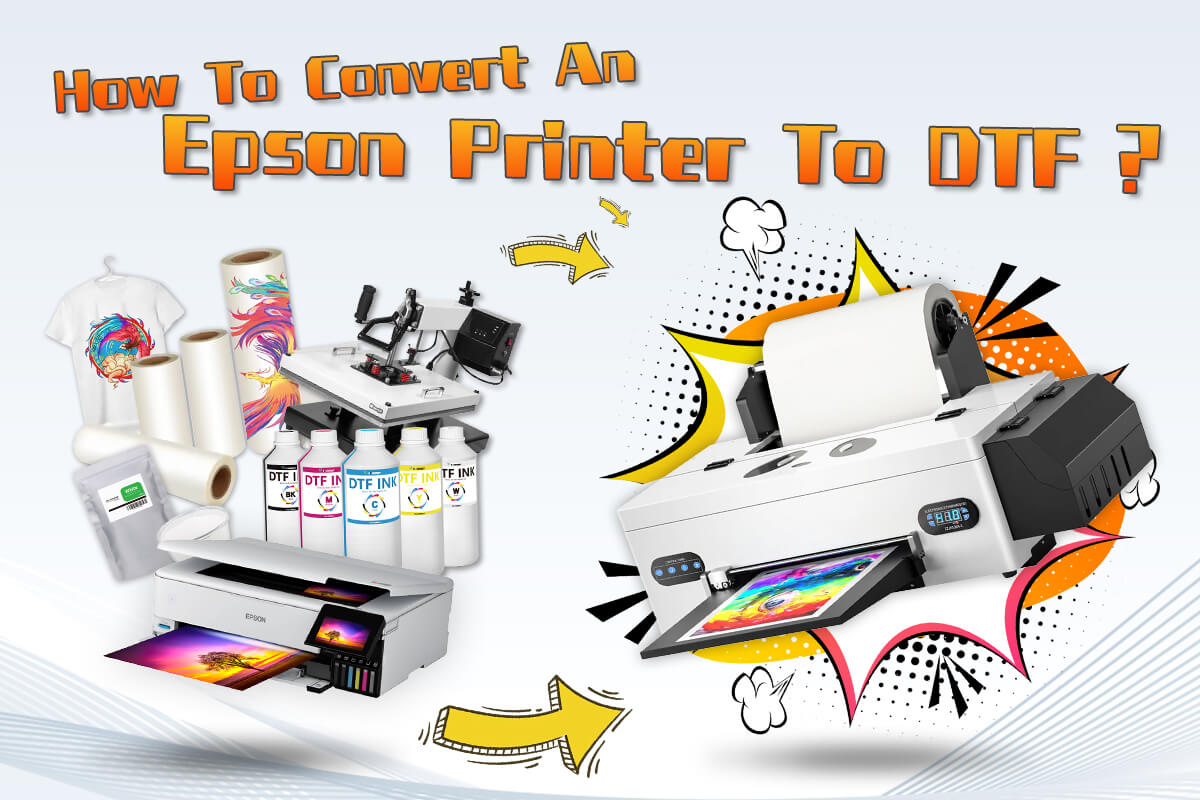
While Epson ET-8550 DTF conversion is technically possible, it is important to understand the real-world risks before starting.
Based on Winnerjet’s DTF technical support cases, the most common problems include:
1. White Ink Clogging
The number one issue in ET-8550 DTF setups is white ink clogging.
White DTF ink contains a high concentration of titanium dioxide (TiO₂), which is significantly heavier than CMYK pigments. If the ink formulation does not have strong dispersion stability, pigment settling begins within days.
Consequences include:
- Nozzle blockages
- Uneven white underbase
- Banding issues
- Frequent head cleaning cycles
Clogging is not caused by the printer model alone — it is mainly caused by poor white ink chemistry.
2. Ink Compatibility Reactions
Improper flushing before conversion may lead to chemical interaction between dye ink residue and DTF pigment ink.
This can result in:
- Gel formation
- Thickened ink channels
- Permanent nozzle damage
Many beginners underestimate this step.
3. Printhead Wear and Maintenance Load
DTF printing puts more stress on the printhead compared to photo printing. White ink printing requires:
- Higher ink density
- Slower print speed
- More frequent maintenance
Without stable ink viscosity control, internal pressure fluctuations increase mechanical stress on the head.
4. Humidity and Environmental Sensitivity
DTF systems are sensitive to humidity levels. Low humidity accelerates ink drying inside nozzles. High humidity affects powder curing and film drying.
Environmental instability increases maintenance frequency.
The Core Reality
From our factory analysis, over 70% of ET-8550 DTF instability cases are ink-related, not hardware-related.
Stable pigment dispersion
Balanced viscosity
Controlled surface tension
Consistent batch quality
These factors determine whether your Epson ET-8550 runs smoothly for months — or struggles within weeks.
DTF conversion is not risky when the ink chemistry is professionally engineered.
Why Choosing the Right DTF Ink Matters for Epson ET-8550
If you analyze most Epson ET-8550 DTF conversion problems, they can be traced back to one core variable: ink formulation quality.
The ET-8550 hardware itself is stable. The PrecisionCore printhead is capable of handling pigment ink. However, it was not designed specifically for heavy white ink suspension. This means the burden shifts to the ink system.
When selecting DTF ink for Epson ET-8550, the following technical factors are critical:
- Pigment particle size consistency
- White ink anti-sedimentation performance
- Controlled viscosity range
- Stable surface tension
- Batch-to-batch consistency
White DTF ink is particularly sensitive. Titanium dioxide particles must remain evenly dispersed over long printing cycles. Poor dispersion leads to settling, which increases internal pressure variation inside the printhead channels.
At Winnerjet, our DTF engineering team focuses on dispersion stability and long-term circulation simulation testing. Before release, white ink batches undergo continuous agitation tests, temperature cycling tests, and nozzle simulation trials to ensure stable flow performance.
This is why professional, factory-level DTF ink often performs differently from low-cost, repackaged ink products.
For small startup users converting the ET-8550, the goal is not just to “make it print.”
The goal is to achieve stable operation for months without excessive cleaning cycles or head damage.
In DTF systems, printer model matters — but ink chemistry determines sustainability.
Is It Worth Converting the Epson ET-8550 to DTF?
So, should you convert your Epson EcoTank ET-8550 to DTF printing?
The honest answer is: Yes — if you understand its role and limitations.
The ET-8550 can serve as an entry-level DTF solution for:
- Small apparel startups
- Custom T-shirt businesses
- Print-on-demand beginners
- Low-to-medium production environments
It offers high resolution output and relatively affordable hardware cost compared to dedicated industrial DTF printers.
However, it is not designed for:
- High-volume commercial production
- 24/7 continuous operation
- Heavy white ink industrial workflows
Long-term success depends on three key factors:
- Proper initial flushing and setup
- Stable, professionally engineered DTF ink
- Consistent daily maintenance
If these conditions are met, the ET-8550 can operate reliably as a DTF printer.
But if the goal is large-scale production with minimal supervision, a purpose-built DTF system may be more appropriate.
The most important takeaway is this:
DTF conversion is not about forcing a printer to work outside its limits — it is about building a balanced and stable ink workflow around it.
FAQ – Epson ET-8550 DTF Conversion
1. Can Epson ET-8550 print DTF?
Yes, the Epson ET-8550 can print DTF after proper conversion.
It requires complete flushing of the original dye ink and replacement with pigment-based DTF ink, including white ink. A RIP software is also necessary for white ink control.
However, stable performance depends largely on ink quality and maintenance discipline.
2. Is Epson ET-8550 good for DTF printing?
The ET-8550 is suitable as an entry-level DTF printer for small businesses and startups.
It is not designed for industrial-scale production or continuous heavy white ink operation.
With stable DTF ink and proper maintenance, it can perform reliably.
3. What ink does Epson ET-8550 use for DTF?
It must use pigment-based DTF ink, not dye ink.
A complete set includes CMYK + White DTF ink specifically formulated for Epson printheads.
White ink stability is the most critical factor.
4. Does converting ET-8550 to DTF void the warranty?
In most cases, yes.
Any internal modification or ink system change typically voids the original manufacturer warranty.
Users should consider this before conversion.
5. Why does white DTF ink clog in ET-8550?
White ink contains titanium dioxide (TiO₂), a heavy pigment that naturally settles.
If the ink formulation has poor dispersion stability or is not regularly agitated, clogging risk increases.
High-quality white DTF ink significantly reduces this issue.
6. Do I need RIP software for ET-8550 DTF setup?
Yes.
Standard Epson drivers do not support white ink layering. A RIP software is required to control white underbase, ink density, and color management.
Without RIP, DTF printing cannot function correctly.
7. Is ET-8550 better than L1800 for DTF?
The ET-8550 uses a newer PrecisionCore printhead, offering higher resolution.
However, both models require stable DTF ink and regular maintenance.
Performance differences are often less important than ink stability.
8. How long does DTF ink last in an ET-8550?
When using high-quality factory-level DTF ink and proper storage conditions, ink can remain stable for several months.
However, white ink should always be agitated before printing.
9. What is the biggest mistake when converting ET-8550 to DTF?
The most common mistake is incomplete flushing of the original ink system or using low-quality white ink.
These two factors account for the majority of clogging issues.
10. Where can I find reliable DTF ink for Epson ET-8550?
It is recommended to work directly with experienced DTF ink manufacturers who control pigment dispersion, viscosity, and batch consistency.
Choosing factory-level ink reduces long-term maintenance risks.