Epson F170 Ink - Premium Sublimation Printing Solutions
High-Quality Compatible Inks for Professional Sublimation Results
Shop F170 Inks NowComplete Guide to Epson F170 Ink
The Epson SureColor F170 is a compact sublimation printer designed for small businesses and creative professionals who demand high-quality results. Finding the right Epson F170 ink is crucial for achieving vibrant colors, consistent output, and reliable performance in your sublimation printing projects.
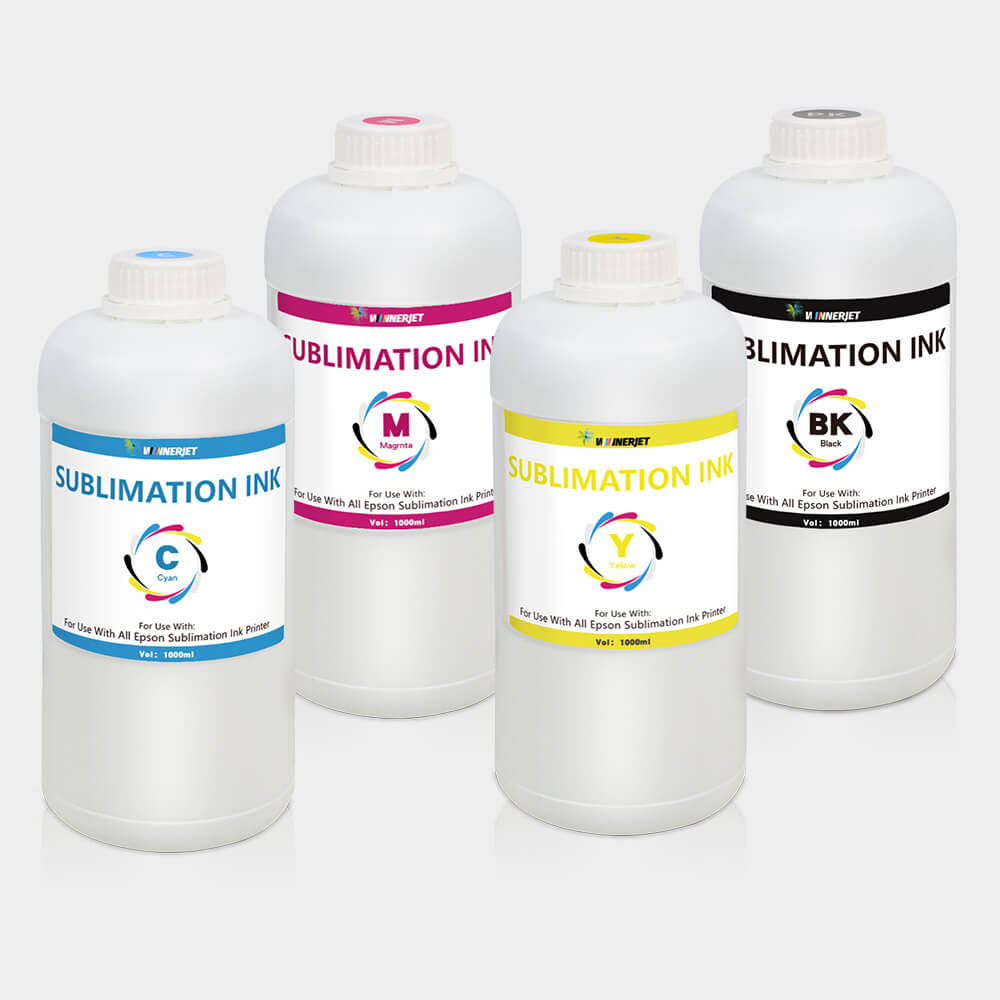
Whether you're printing custom t-shirts, mugs, phone cases, or other personalized items, the quality of your Epson F170 ink directly impacts your final results. This comprehensive guide covers everything you need to know about F170 ink options, compatibility, performance, and where to find the best deals.
Why Choose Quality F170 Ink?
Premium Epson F170 ink ensures consistent color reproduction, prevents clogging, extends printer life, and delivers professional-quality sublimation transfers that your customers will love.
Epson F170 Ink Specifications & Compatibility
The Epson SureColor F170 uses a 4-color ink system specifically designed for sublimation printing. Understanding the technical specifications of Epson F170 ink helps ensure optimal performance and print quality.
| Specification | Details | Benefits |
|---|---|---|
| Ink Type | Dye Sublimation | Vibrant colors, permanent bonding |
| Color System | 4-Color CMYK | Full color spectrum coverage |
| Cartridge Capacity | 140ml per color | Extended printing capacity |
| Operating Temperature | 15°C to 35°C | Stable performance range |
| Storage Temperature | -20°C to 40°C | Long-term stability |
| Shelf Life | 24 months unopened | Extended usability |
Compatible Cartridge Numbers
The Epson F170 uses the following cartridge numbers for Epson F170 ink:
- T49H120 - Black Sublimation Ink (140ml)
- T49H220 - Cyan Sublimation Ink (140ml)
- T49H320 - Magenta Sublimation Ink (140ml)
- T49H420 - Yellow Sublimation Ink (140ml)
Best Epson F170 Ink Options
When selecting Epson F170 ink, you have several options ranging from genuine Epson cartridges to high-quality compatible alternatives. Each option offers different benefits in terms of cost, performance, and availability.
Genuine Epson F170 Ink
Official Epson sublimation ink cartridges designed specifically for the F170 printer.
- Guaranteed compatibility
- Optimal color accuracy
- Full warranty support
- Consistent quality control
- Premium packaging
Compatible F170 Ink Cartridges
High-quality compatible sublimation ink cartridges offering excellent value and performance.
- 60% cost savings
- Same page yield as genuine
- Professional color quality
- Chip-compatible design
- Money-back guarantee
Bulk F170 Sublimation Ink
Bulk sublimation ink for refillable cartridge systems and continuous ink supply setups.
- Lowest cost per ml
- Perfect for high volume
- Professional grade formula
- Multiple size options
- Technical support included

Epson F170 Ink Performance & Quality
The performance of your Epson F170 ink directly affects the quality of your sublimation prints. Understanding how different ink formulations perform helps you make informed decisions for your specific printing needs.
Color Accuracy and Gamut
High-quality Epson F170 ink delivers exceptional color accuracy with a wide color gamut that covers 95% of the sRGB color space. This ensures that your prints accurately represent the colors in your digital designs, whether you're printing photographs, graphics, or text.
Professional Color Results
Premium F170 ink formulations use advanced dye chemistry to achieve consistent color reproduction across different substrates, from polyester fabrics to ceramic mugs and metal surfaces.
Print Durability and Wash Resistance
Quality Epson F170 ink creates permanent bonds with polyester fibers during the sublimation process. This results in prints that can withstand:
- 50+ wash cycles without significant fading
- UV exposure for outdoor applications
- Stretching and flexing on fabric items
- Daily wear and handling
Clogging Prevention and Reliability
Premium Epson F170 ink formulations include anti-clogging additives that keep your printer heads clean and functioning properly. This reduces maintenance requirements and ensures consistent print quality over time.
Avoid Low-Quality Inks
Poor quality F170 ink can cause print head clogging, color inconsistencies, and even permanent damage to your printer. Always choose reputable suppliers with proven track records.
Installing Epson F170 Ink Cartridges
Proper installation of your Epson F170 ink cartridges ensures optimal performance and prevents common printing issues. Follow these step-by-step instructions for best results.
Step-by-Step Installation Process
- Power on your Epson F170 printer and wait for it to complete its startup sequence
- Open the front cover to access the cartridge compartment
- Press down on the old cartridge to release it from its holder
- Remove the new F170 ink cartridge from its packaging
- Remove all protective tape and seals from the new cartridge
- Insert the cartridge into the correct color slot until it clicks
- Close the front cover and wait for the printer to recognize the new ink
- Run a nozzle check to verify proper installation
First-Time Setup Tips
When installing F170 ink cartridges for the first time, allow the printer to complete its initial charging cycle. This process can take 10-15 minutes but ensures optimal ink flow and print quality.
Troubleshooting Common Installation Issues
If you experience problems with your Epson F170 ink installation:
- Cartridge not recognized: Ensure all protective tape is removed and the cartridge is fully seated
- Error messages: Power cycle the printer and reinstall the cartridge
- Poor print quality: Run head cleaning cycles and nozzle checks
- Ink level not updating: Compatible cartridges may not show accurate levels
Maintaining Your Epson F170 Ink System
Proper maintenance of your Epson F170 ink system extends cartridge life, maintains print quality, and prevents costly repairs. Regular maintenance is essential for professional sublimation printing operations.
Regular Maintenance Schedule
| Frequency | Maintenance Task | Purpose |
|---|---|---|
| Daily | Visual ink level check | Prevent running out mid-job |
| Weekly | Nozzle check pattern | Detect clogging early |
| Bi-weekly | Head cleaning cycle | Maintain optimal flow |
| Monthly | Deep cleaning cycle | Remove stubborn clogs |
| Quarterly | Professional service | Comprehensive maintenance |
Storage and Handling Best Practices
Proper storage of your Epson F170 ink cartridges ensures maximum shelf life and performance:
- Store cartridges in original packaging until use
- Keep in cool, dry environment (15-25°C)
- Avoid direct sunlight and temperature extremes
- Use oldest cartridges first (FIFO system)
- Handle cartridges carefully to avoid damage
Epson F170 Ink Cost Analysis
Understanding the true cost of Epson F170 ink involves more than just the initial purchase price. Consider factors like page yield, print quality, and long-term reliability when making your decision.
Cost Per Print Comparison
| Ink Type | Cartridge Cost | Page Yield | Cost Per Print |
|---|---|---|---|
| Genuine Epson | $89.99 | 1,500 prints | $0.060 |
| Compatible Premium | $34.99 | 1,500 prints | $0.023 |
| Bulk Ink System | $24.99 | 2,000 prints | $0.012 |
Maximum Savings Strategy
For high-volume operations, bulk ink systems offer the lowest cost per print while maintaining professional quality. Small businesses can achieve significant savings with premium compatible cartridges.
Return on Investment Considerations
When evaluating Epson F170 ink options, consider these factors:
- Print volume: Higher volumes benefit more from bulk systems
- Quality requirements: Premium applications may justify genuine ink costs
- Reliability needs: Mission-critical jobs require proven ink performance <