Due to its ability to produce high-resolution images, smooth gradient effects and an infinite palette of colour combinations, DTG (Direct-to-Garment) printing has become one of the most popular methods for customised apparel. However, both novices and experienced operators alike encounter a common challenge: incomplete or uneven ink coverage after printing.
Perhaps the print appears mottled and uneven,
or colours seem faded,
or ink fails to adhere fully, allowing fabric fibres to show through the design.
If you’ve encountered these issues, read on. Below are the most common causes of these problems, along with effective solutions.
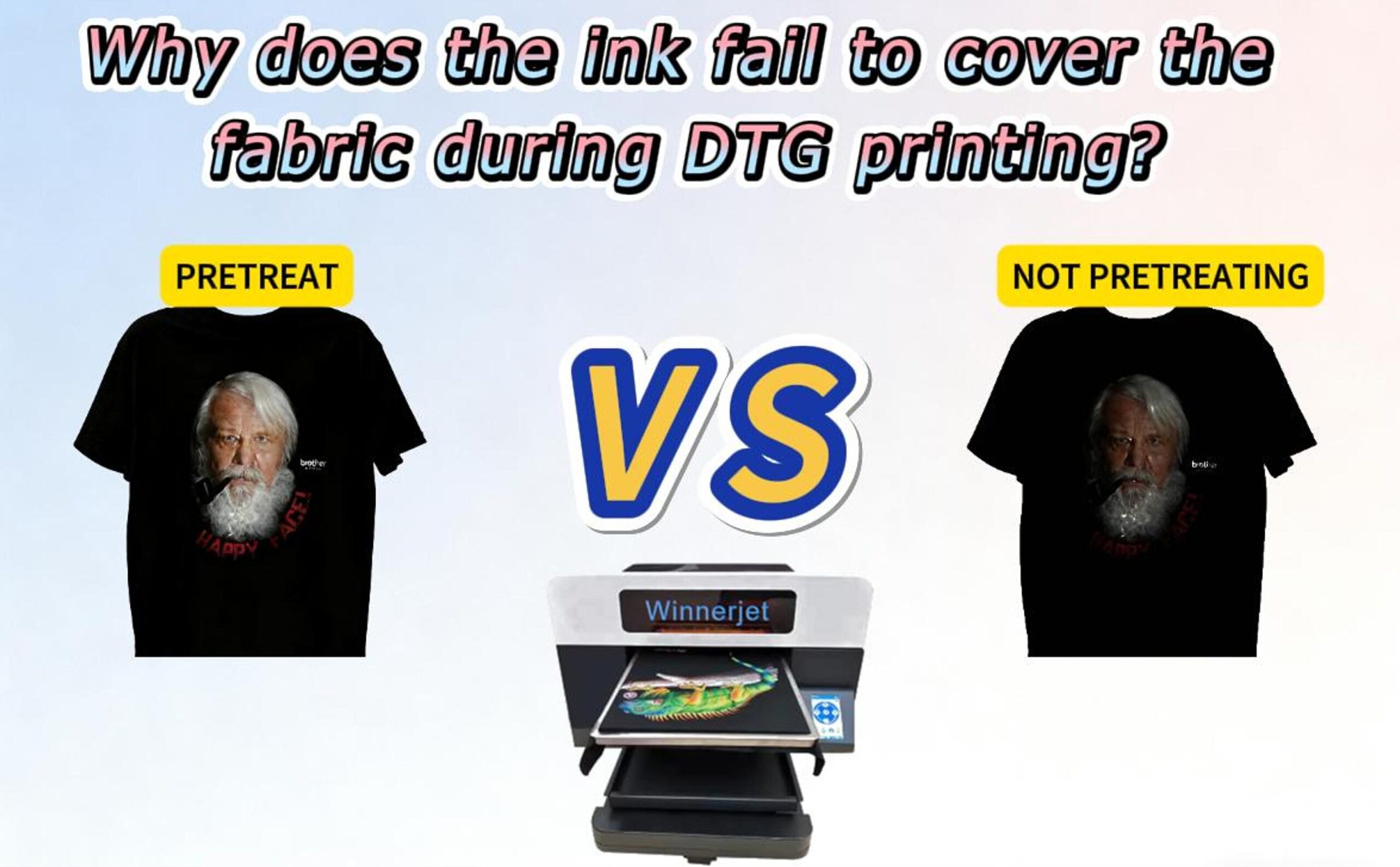
1. White undercoat too thin
For dark or coloured garments, the white ink layer serves as the undercoat. Without a solid base colour, overlying colours cannot adhere properly, leading to fading or exposure of the underlying garment colour.
A thin white layer may result from:
Low white ink density settings in RIP software
Incorrect print profiles
Nozzle blockages or uneven ink distribution
✔ How to rectify it
Increase the white undercoat ink settings until a smooth, opaque base layer forms. After printing, the white layer should appear uniform and solid before adding any colour layers. If necessary, run a nozzle check or maintenance programme to ensure even ink distribution.
2. The Fabric Surface Isn’t Smooth Enough
Sometimes the issue isn’t with the printer — but with the fabric itself. DTG ink behaves differently from screen printing ink; instead of sitting on top, it interacts with fibers. If the surface has:
Excess lint
Raised fibers
Needle holes from manufacturing
Wrinkles
Then the ink can’t sit evenly, resulting in visible gaps.
✔ How to Fix It
Before printing, pre-press the garment using a heat press or iron. This not only removes wrinkles, but also flattens micro-fibers and improves adhesion. A quick 5–10 second press makes a surprisingly big difference in final print quality.
3. Not Enough Pretreatment Applied
Pretreatment is one of the most critical — and often misunderstood — steps in DTG printing. It enables the ink (especially white ink) to stay on top of the fabric rather than being absorbed.
Too little pretreatment can cause:
Muddy colors
Ink bleeding into fibers
Patchy white ink
Poor wash durability
✔ How to Fix It
Apply a consistent and sufficient amount of pretreatment. Use a sprayer or automatic pretreatment machine to ensure even coating. After application, always heat press the garment until completely dry to lock in the pretreatment layer.
Conclusion
DTG printing success comes down to proper preparation, the right settings, and quality materials. When the white underbase is sufficient, the fabric surface is smooth, and the pretreatment is applied correctly, prints become vibrant, durable, and professionally finished.
If you’re looking for reliable pretreatment solutions, high-performance DTG inks, or printing supplies that help eliminate these common issues, Winnerjet is here to support you. Our products are tested for color accuracy, wash resistance, and print consistency — helping DTG beginners and professionals achieve smooth, solid, high-quality results every time.
Whether you’re scaling a printing business, improving production efficiency, or solving print quality problems, Winnerjet provides the materials and guidance you need to print with confidenc
FAQ
How do I know if I used enough pretreatment?
A good sign is when the white ink sits on the surface instead of soaking in. If the white looks fuzzy or dull, you likely need more pretreatment.
Can I use DTG on any type of fabric?
Not all fabrics react the same. DTG performs best on 100% ring-spun cotton. Polyester, nylon, and blended fabrics may require specialized pretreatment or may not work at all.
Why does my print feel rough or stiff?
This can happen if too much pretreatment or ink is applied. Try adjusting both the pretreat volume and RIP ink density to find a balance.
How often should the printer head be maintained?
White ink settles quickly, so routine cleaning is essential. Daily maintenance — especially for shops printing regularly — prevents clogging and ensures consistent output.
Why does my print fade after a few washes?
This is usually caused by improper curing or insufficient pretreatment. Ensure the garment is cured long enough and at the correct temperature so the ink bonds properly.