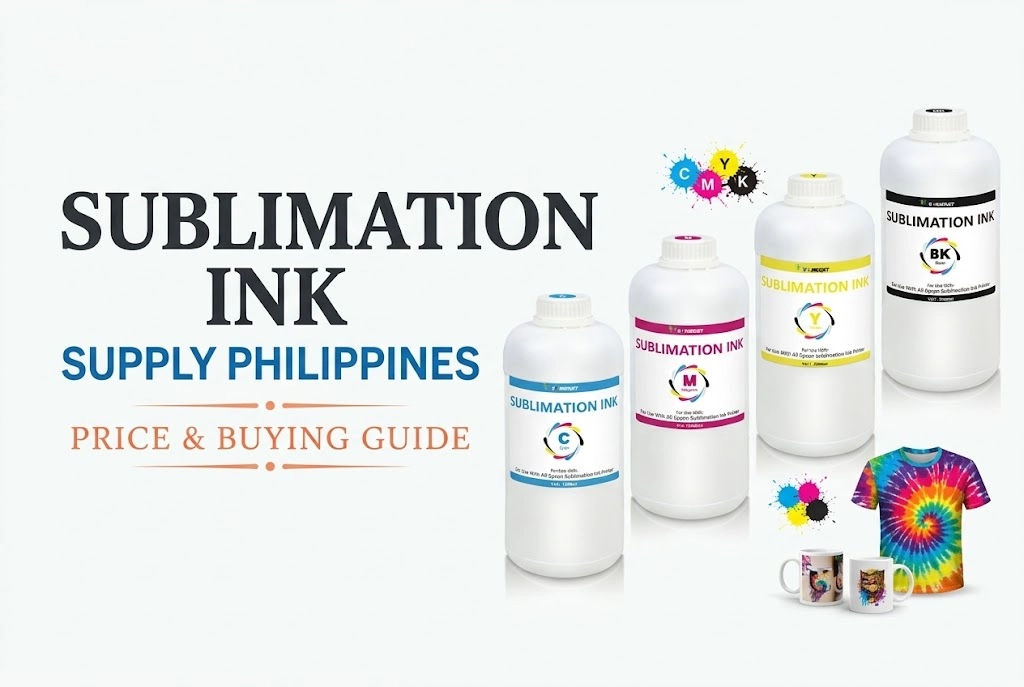
Sublimation ink cannot be used directly on standard photo paper because it requires high heat (around 380°F–400°F) to turn into a gas and bond with polymer fibers. Printing directly on photo paper leaves the ink wet, dull, and prone to smudging. To make durable photos, print on sublimation transfer paper and heat-press onto polymer-coated substrates like aluminum photo panels.
To avoid costly mistakes and ruined prints, here is how each paper type behaves:
Regular Inkjet Photo Paper (No): Lacks heat-resistant polymer coating. The ink stays dull, wet, and smears, while the paper coating can melt and ruin your heat press.
Sublimation Photo Paper / PET Film (Yes – For DIY): Specially coated film (e.g., A-SUB). Print directly and heat-press at 338°F–340°F (170°C) for 40–50s to activate vivid, waterproof colors.
Transfer Paper + Metal Panels (Yes – Commercial Standard): The pro gallery workflow. Print on transfer paper, then press onto ChromaLuxe aluminum panels at 385°F–400°F for permanent, high-definition displays.
Can You Use Sublimation Ink Directly on Regular Photo Paper?
No. You cannot use sublimation ink directly on regular photo paper to produce finished photos.
Sublimation ink consists of solid disperse dye particles suspended in a liquid carrier. Under normal room temperature and pressure, these dyes cannot chemically bond with standard paper coatings.
If you print sublimation ink directly onto ordinary glossy or matte photo paper, three things happen: Dull and distorted colors, failure of the ink layer to cure, and damage to heat-pressing equipment.
Why Sublimation Ink Fails on Regular Photo Paper
Dull, Muted Colors
- Needs High Heat: Sublimation dyes only activate their true color gamut at 380°F–400°F.
- Faded Appearance: Untreated prints on photo paper remain muddy, dark, and flat.
Never Fully Cures
- Surface Floating: Ink sits on top of the coating without chemical bonding.
- Severe Smudging: Stays tacky, wet, and ruins immediately when touched or exposed to moisture.
Heat Press Hazard
- Coating Melts: Standard polyethylene/RC resin layers liquefy and scorch under heat.
- Platen Damage: Burnt coating sticks directly to your heating plate, risking costly equipment repair.
How to Produce Long-Lasting Photo Prints with Sublimation
For true gallery-grade displays, sublimation is never used directly on paper. Instead, the image is printed on sublimation transfer paper and infused under high heat into rigid, polymer-coated substrates:
ChromaLuxe Aluminum Panels: The gold standard for fine-art photography. Dye gas bonds directly inside the multi-layer polymer coating, creating ultra-vivid depth, fade resistance, and scratch-proof longevity without glass framing.
Coated Ceramic & Hardboard Panels: Deliver rich contrast and heavy-duty structural durability, making them ideal for photographic gifts, memorial plaques, and tabletop displays.
Sublimation Cast Acrylic Blanks: Offer a sleek, translucent 3D visual effect with luminous backlight transmission for modern interior decor.
The Workflow: Mirror-print onto transfer paper → Align facing the coated blank → Heat press at 385°F–400°F (196°C–204°C) for 60–80 seconds under medium-to-heavy pressure.

Tips for High-Quality Photo Prints
- Use high-resolution images to prevent pixelation.
- Select light-colored polyester or polymer-coated surfaces for bright colors.
- Maintain proper heat press settings to avoid fading or smudging.
- Test a small batch first, especially for large B2B orders.
- Avoid touching the printed surface before heat transfer to prevent smears.
Common Issues and How to Avoid Them
- Faded Colors: Usually caused by incorrect temperature, low-quality ink, or an incompatible surface.
- Blurry Prints: Low-resolution images are the main culprit.
- Poor Adhesion: Occurs if the surface is not polyester or coated properly.
- Tip: Always match your printer, ink, and substrate for reliable results.
Which Printing Method Should You Choose for Photos?
As a supplier of ink-based printing consumables, we recommend selecting the printing chemistry process best suited to your target substrates and business applications:
Sublimation Printing: Best for polymer-coated rigid blanks (ChromaLuxe metal panels, ceramic mugs) and white/light polyester textiles. Delivers zero-hand feel, deep dynamic range, and permanent scratch resistance.
DTF Printing: Best for cotton apparel, poly-blends, canvas tote bags, and dark garments where sublimation cannot adhere or lack white underbase support.
Standard Inkjet (Dye/Pigment): Best for traditional framing, photo albums, and portfolio prints directly on RC glossy, luster, or matte cotton rag photo papers.
FAQs Sublimation Ink On Photo Paper
Can I use sublimation ink for photo printing?
Yes, but not in the conventional inkjet way. Sublimation ink must be heat-pressed into a polymer-coated substrate (such as ChromaLuxe metal photo panels or sublimation-receptive film). It creates permanent, scratch-proof, and vibrant photos that outperform paper prints in longevity, but it cannot print directly onto traditional photo paper.
Can I use sublimation ink to print on regular paper?
You can run plain paper through the printer, but the results are unusable. Without a heat-resistant release coating or polymer layer, sublimation ink appears dull, stays wet, and smears easily. Attempting to heat-press plain paper will scorch the fibers and risk melting paper coatings onto your heat press platen. Always use sublimation transfer paper.
What are the disadvantages of using sublimation ink?
The three main limitations are:
Substrate Restrictions: Only bonds with polyester fibers or polymer-treated hard surfaces (incompatible with 100% cotton).
No White Ink: Because sublimation relies on translucent dyes, it cannot produce opaque prints on dark or black substrates.
High Equipment Dependency: Requires dedicated high-temperature heat presses and specific transfer paper rather than standard desktop trays.
What surfaces can you use sublimation ink on?
Sublimation ink adheres exclusively to polyester-based or polymer-coated blanks:
Hard Blanks: Specially treated aluminum photo plates, ceramic mugs, coated glass, and hardboard tiles.
Soft Goods: 100% white or light-colored polyester shirts, tote bags, mousepads, and neoprene can coolers.
For cotton fabrics, dark apparel, or standard paper documents, DTF (Direct-to-Film) or standard pigment/dye inks are required.
How many prints can you get from sublimation ink?
The total yield depends on cartridge size, print resolution, and image ink coverage. As an industry rule of thumb, a standard 4 × 70 ml (280 ml total) CMYK ink set yields roughly:
- 1,200 to 1,500 standard photo prints (4″ x 6″)
- 450 to 550 full-color A4/Letter size designs
- 200 to 250 large A3 transfers
For higher-volume production, a 4 × 100 ml set delivers around 650 to 800 A4 prints, while commercial 1-liter bulk bottles (4 × 1,000 ml) can produce 6,500 to 8,000+ A4 prints.
Tip: Full-bleed photo transfers consume nearly twice as much ink as basic text or vector graphics. Using an optimized ICC profile prevents ink flooding and can save 15%–20% of wasted ink.