
No, you cannot use sublimation ink in any Canon desktop inkjet printer—including Pixma, MAXIFY, and MegaTank models.
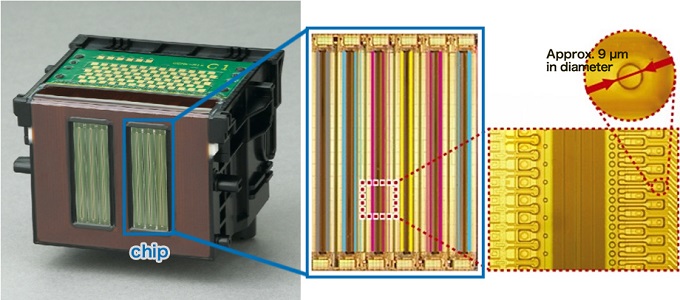
Unlike Epson printers that use cold Micro Piezo technology, Canon relies on thermal FINE™ printheads that rapidly heat ink to over 300°C (572°F) to eject droplets. Because sublimation dye chemically activates and cross-links around 180°C–200°C, the ink literally cooks, bakes, and solidifies inside the microscopic nozzles before reaching the paper.
The result isn’t just poor color—it causes instant nozzle clogging, kogation (burnt residue), and permanent printhead burnout. Below, we break down the exact physics behind this failure, clarify the confusion around Canon SELPHY, and show the safest, lowest-cost printer alternatives for sublimation.
Why Most Canon Printers Aren’t Compatible with Sublimation Ink
Canon desktop printers mainly use thermal inkjet printheads. Here’s why that matters:
- Thermal printheads heat the ink to create bubbles that push it onto the paper.
- Sublimation ink is designed for piezoelectric printheads (like those used in Epson printers).
- Sublimation ink doesn’t respond well to heat-based nozzles and can burn, thicken, or clog.
In short:
🔹 Canon printers = thermal heads → not designed for sublimation ink
🔹 Epson (and similar) printers = piezo heads → suitable for sublimation conversion
Can You Convert a Canon MegaTank (G-Series) to Sublimation?
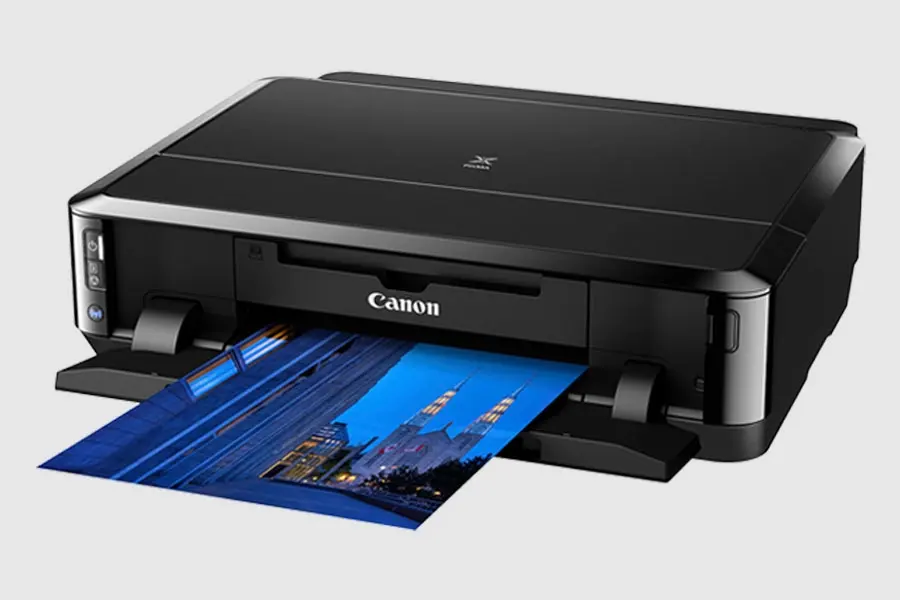
A common misconception among beginners is that Canon MegaTank printers (such as the G1000, G2000, G3000, and G6000 series) can be converted just like an Epson EcoTank simply because they have built-in refillable ink reservoirs.
The reality is NO. An ink tank is just a container—the dealbreaker is the printhead mechanism underneath.
According to Canon’s Official Inkjet Technology Architecture, Canon printers rely on proprietary FINE™ (Full-photolithography Inkjet Nozzle Engineering) thermal microheaters.
Why does sublimation ink cause printhead damage? Thermal heads flash-boil ink inside microscopic nozzles to create driving vapor bubbles. However, disperse dye inside sublimation ink activates chemically under heat (typically at 180°C–200°C). Inside a Canon thermal head, the dye cooks and polymerizes before it ever leaves the nozzle, causing instant nozzle baking, severe kogation, and permanent burnout.
Bottom line: Refillable tanks do not change thermal physics. Never pour liquid sublimation ink into a Canon MegaTank.
Does Canon SELPHY Use Sublimation Ink?
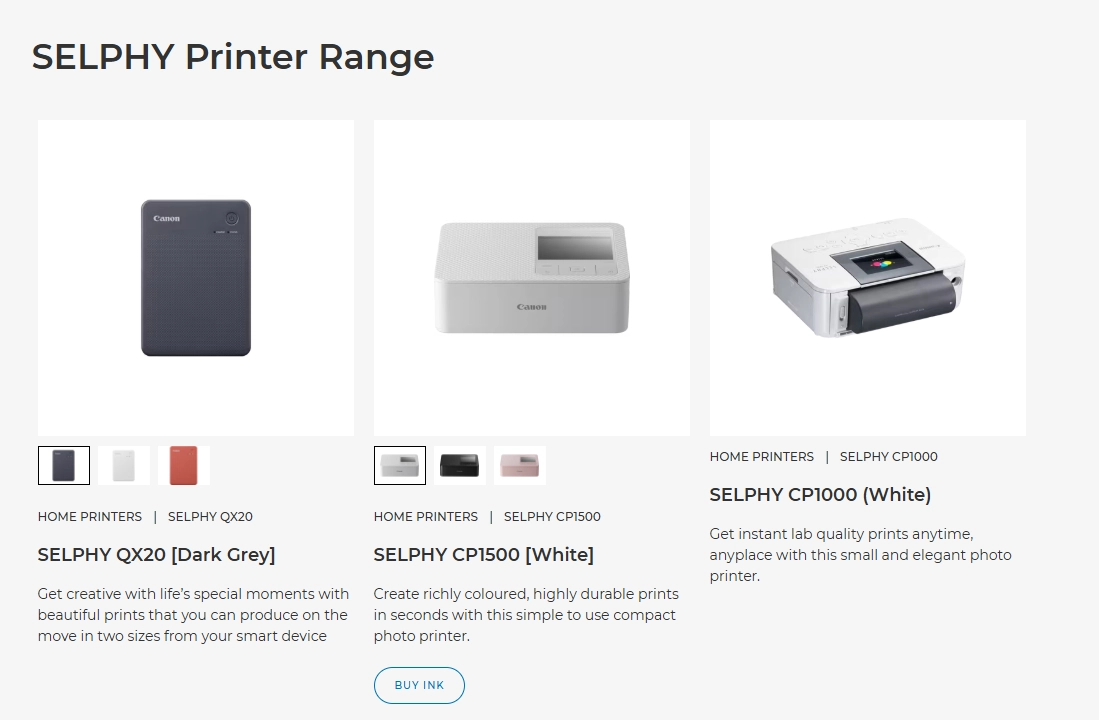
If you search for “Canon sublimation printer”, the Canon SELPHY series (e.g., CP1300, CP1500) will likely appear first. This creates massive confusion for crafters wanting to print t-shirts and mugs.
Canon SELPHY printers do utilize sublimation, but it is Dye-Sublimation Thermal Transfer (D2T2) technology. They do not use liquid ink cartridges or tanks.
SELPHY devices run exclusively on solid ink ribbons (YMC color sheets coated on PET film) paired with specialized coated photo paper (such as Canon KP-108IN / RP-108 sets, detailed in Canon’s Compact Photo Printer Specsheet).
Not for Garment / Blank Transfers. SELPHY transfers dye directly onto its own plastic-coated photo paper to create waterproof family photos. It cannot print onto sublimation transfer paper, nor can you feed it liquid sublimation ink for heat pressing onto fabric or tumblers.
What Happens If You Use Sublimation Ink in a Canon Printer?
Here are the most common issues people face:
- Clogged nozzles – the ink thickens under heat
- Burnt or damaged printheads – may require replacement
- Poor or missing print output – faded, streaked, or blank prints
- Ink system contamination – mixing with dye or pigment ink
- Warranty voided immediately
- High repair cost or total printer failure
Even if the printer prints once or twice, the long-term damage risk is high.
Are There Any Canon Printers That Work with Sublimation?
At this time, Canon does not make printers designed for sublimation ink.
Some industrial Canon models used in textile printing exist, but:
- They are not standard home or office printers
- They are not designed for ink replacement
- They cannot be “converted” safely
So, for home or small business sublimation printing, Canon is not a practical option.

Better Printer Alternatives for Sublimation
If you want to start sublimation safely and effectively, choose a printer with piezo printhead technology. Here are the best options:
✅ 1. Epson EcoTank Series
Popular models for beginners and small businesses.
✅ 2. Epson L-Series and XP-Series
Affordable and commonly converted for sublimation.
✅ 3. Desktop Converted Epson Inkjet Printers
Easy to fill with sublimation ink and cost-effective.
✅ 4. Dedicated Sublimation Printers
Great for long-term or business use.
💡 Winnerjet sublimation ink works perfectly with Epson piezo printers, offering smooth flow, rich color, and long-lasting print quality.
Already Put Sublimation Ink in a Canon Printer? Do This Now
If you’ve already tried using sublimation ink in your Canon printer:
- Stop printing immediately
- Run deep cleaning or flush cycles (if available)
- Avoid mixing ink types further
- Contact a technician if nozzles are clogged
- Consider switching to a compatible printer instead
In most cases, it’s more cost-effective to switch printers than to repair damage.
Conclusion
Most Canon printers cannot use sublimation ink because their thermal printheads are incompatible with the ink’s formula. To avoid clogs, damage, or wasted supplies, it’s best to choose a piezo-style printer like Epson for sublimation projects.
If you’re not sure what printer and ink setup to choose, we’re here to help!
📩 Request Free Winnerjet Sublimation Ink Samples and get expert guidance on choosing the right printer setup.
FAQs Canon printers Do Not Use Sublimation Ink.
Can I use sublimation ink in a Canon PIXMA or MegaTank printer?
No. All Canon PIXMA and MegaTank desktop models utilize FINE™ thermal printheads. These printheads heat liquid ink to over 300°C (572°F) to fire droplets. Because sublimation dye chemically reacts and solidifies at 180°C–200°C, the ink bakes and cross-links inside the micro-nozzles before it can reach the paper, resulting in immediate, permanent printhead failure.
Does Canon make any dedicated sublimation printers or sublimation ink?
No, Canon does not produce liquid sublimation ink or desktop sublimation printers. While the popular Canon SELPHY series uses dye-sublimation, it operates strictly via solid dye-diffusion ribbon cassettes (D2T2) onto pre-coated photo paper. It does not contain liquid ink and cannot print transfer sheets for apparel or mugs. For liquid sublimation printing, piezo-based systems like Epson are required.
What should I do if I accidentally put sublimation ink in my Canon printer?
Stop printing immediately and do NOT run nozzle checks or head cleaning cycles. Running cleaning cycles heats the printhead, accelerating kogation (baked dye buildup). Syringe out all remaining sublimation ink from the tanks, flush the system with dedicated thermal printhead cleaning solution, and refill with genuine water-based dye ink. If the printer has already printed multiple pages with sublimation ink, replacing the printhead is usually necessary.
Can I use DTF ink instead of sublimation ink in a Canon printer?
No. DTF inks are water-based pigment inks combined with adhesive resins, which also require cold piezoelectric printheads. Just like sublimation ink, DTF ink cannot pass through Canon’s thermal FINE™ heads without severe clogging. For custom apparel printing with a desktop machine, both DTF and sublimation methods require piezo-driven hardware (such as converted Epson printers).
What is the most budget-friendly printer alternative for sublimation?
The most reliable and cost-effective entry point is converting an entry-level Epson EcoTank printer (such as the ET-2800, ET-15000, or L3250 series). Because Epson uses cold Micro Piezo™ tech, you can directly fill a brand-new, uninked machine with high-density sublimation ink without any risk of heat degradation.







