
The Epson XP 15000 is a popular choice for home and small business printing. But did you know it can also be converted into a DTF (Direct-to-Film) printer?
With the right tools and some careful steps, you can print high-quality DTF transfers without buying an expensive dedicated DTF machine.
This guide will walk you through everything you need to know to convert your Epson XP 15000 into a DTF printer, plus tips to avoid common mistakes.
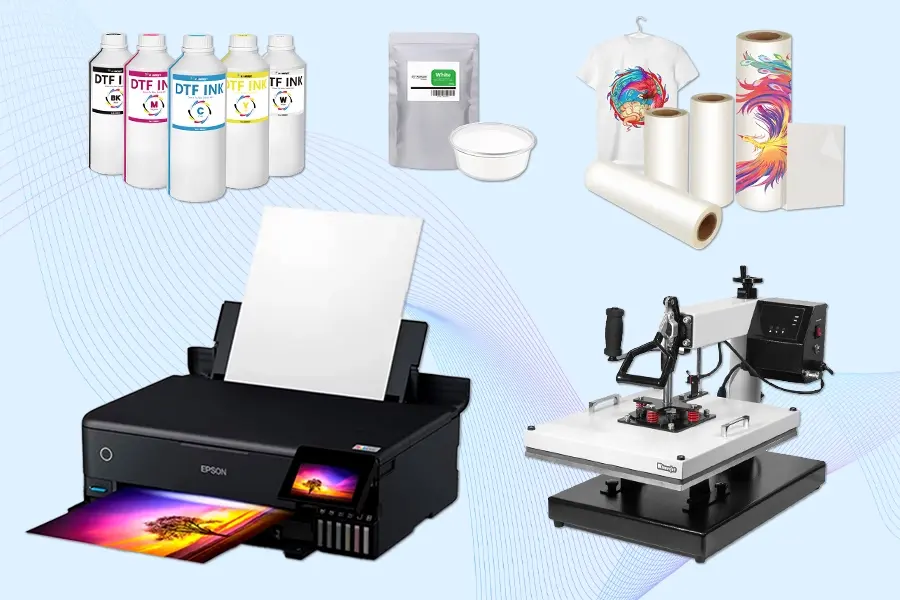
🧰 Tools & Materials You’ll Need
Before you start, gather these items:
- Epson XP 15000 printer
- DTF ink set (CMYK + white)
- DTF film sheets or rolls
- DTF powder (low-dust recommended)
- Refillable ink cartridges or CISS (Continuous Ink Supply System)
- Lint-free cleaning cloth & printer cleaning solution
- Heat press machine (for curing the powder)
💡 Winnerjet Tip: Use Winnerjet low-dust DTF powder and high-opacity white DTF ink to get sharper colors and smoother prints.
🔧 Step-by-Step Conversion Process
Step 1: Prepare the Printer
- Remove the original ink cartridges.
- Clean the ink lines using a cleaning solution to avoid mixing regular ink with DTF ink.
Step 2: Install the DTF Ink System
- Insert refillable cartridges or set up a CISS filled with DTF inks.
- Make sure each color is in the correct slot (including white ink in the right channels).
Step 3: Adjust Printer Settings
- In your print settings, turn off any “platen gap” warnings.
- Set the media type to match DTF film and adjust paper feed settings for smoother printing.
Step 4: Load the DTF Film
- Place the film with the coated (printable) side facing up.
- Run a small test print to ensure proper alignment.
Step 5: Print Your Design
- Print in mirror mode if needed.
- Use RIP software for white ink underbase printing for vibrant colors.
Step 6: Apply and Cure the DTF Powder
- Spread the powder evenly over the printed area while the ink is still wet.
- Shake off excess powder.
- Cure the powder with a heat press (without direct contact) or use a curing oven until it melts evenly.
⚠️ Safety & Maintenance Tips
- Ventilation: Always work in a well-ventilated space to avoid breathing fine powder particles.
- Protective Gear: Wear a mask and gloves when handling powder.
- Printer Care: Clean the print head regularly to prevent clogging.
- Ink Storage: Keep inks sealed and store them away from heat or sunlight.
❌ Common Mistakes to Avoid
- Using regular ink instead of DTF ink — regular inks won’t work for transfers.
- Printing on the wrong side of the film — always print on the coated side.
- Over-curing the powder — too much heat can burn or warp the film.
- Skipping test prints — this can lead to wasted materials and poor results.
✅ Benefits of Converting Epson XP 15000 for DTF
- Cost savings — much cheaper than buying a dedicated DTF printer.
- High-quality output — Epson’s print resolution is great for detailed designs.
- Versatility — works on cotton, polyester, blends, and even dark fabrics.
🎯 Conclusion
Converting your Epson XP 15000 to DTF can open up new opportunities for custom printing at a fraction of the cost of buying a dedicated DTF printer.
By following the right steps, using quality inks, film, and low-dust powder, and avoiding common mistakes, you can get professional results right at home.
🧠 FAQ
Can I use my Epson XP 15000 for both regular and DTF printing?
It’s possible, but you’ll need to flush the ink system completely before switching, which can be time-consuming.
How long does the conversion process take?
Usually, 1–2 hours if you have all the materials ready.
Will converting my printer void the warranty?
Yes, modifying your printer typically voids the manufacturer’s warranty.
Do I need special software for DTF printing?
Yes, RIP software is recommended for white ink control and color management.
How long do DTF prints last?
With proper application, DTF prints can last 50+ washes without fading or cracking.







