The Complete Guide for UV Printer Users and Resellers
Selecting the correct UV ink is crucial for print quality, printhead protection, and long-term machine stability. Because every printhead has its own viscosity range, firing frequency, and chemical tolerance, using the wrong UV ink can cause nozzle clogging, banding, adhesion failure, or even permanent printhead damage. This guide explains how to choose UV ink based on the printhead type, printing materials, and customer requirements—making it easier for you to recommend the right solution and turn inquiries into orders.
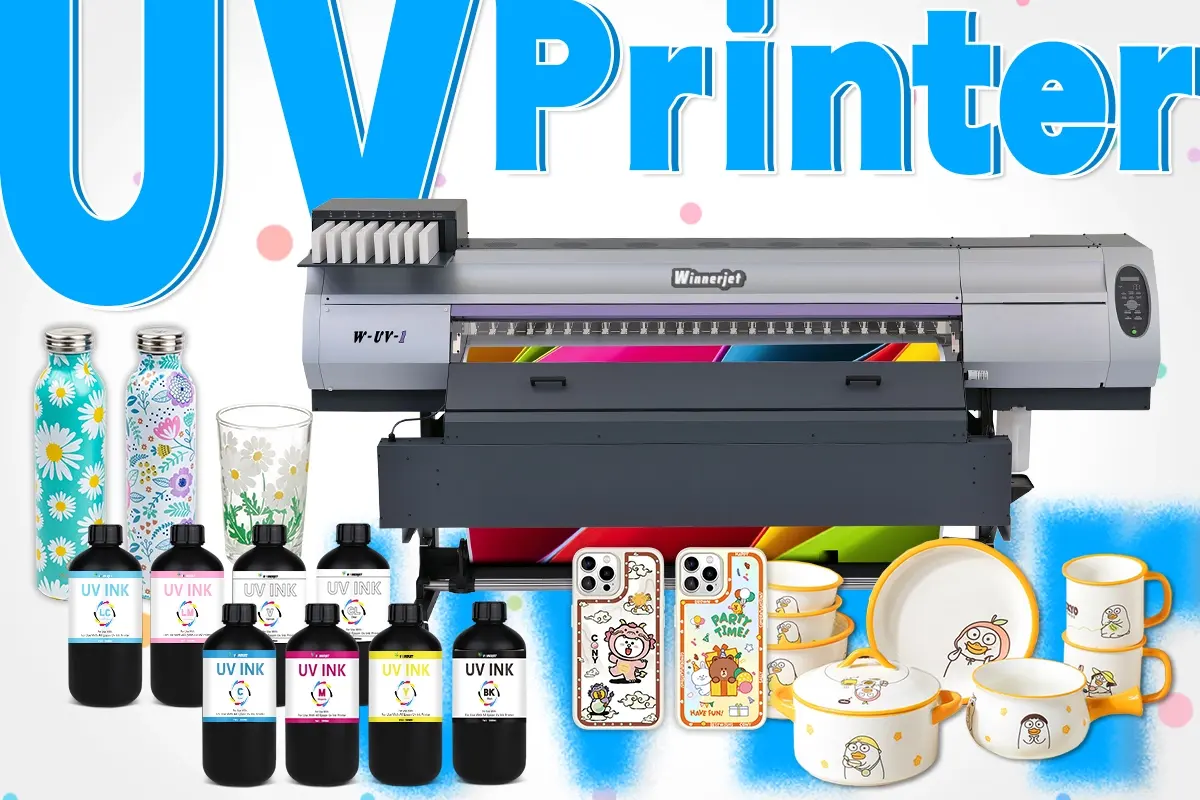
1. UV Ink for Epson Printheads (DX5, DX7, XP600, i3200 Series)
Epson printheads are widely used in desktop UV printers and small flatbeds. Their micro-piezo structure is delicate and requires low-viscosity, smooth-flowing inks.
Best Application Scenarios
Soft or flexible substrates (PU leather, TPU, soft film)
Daily signage or craft products (PVC, acrylic sheets, small DIY items)
Small UV printers for start-up businesses
Key Ink Requirements
Flexible or Mid-flex UV ink
Smooth curing under low UV energy
Prevents clogging even with intermittent use
Allows bending, stretching, and folding
Why This Matters
Epson nozzles are extremely fine. If the ink viscosity is too thick (like Ricoh or Konica inks), it will cause immediate nozzle deflection or clogging. Flexible UV ink protects the printhead and improves printing success on a wide range of materials.
2. UV Ink for Ricoh Printheads (GH2220, G5, G6)
Ricoh printheads are popular for mid- to high-level UV printers due to their strong durability and ability to handle medium to high viscosity inks.
Best Application Scenarios
Rigid materials requiring strong adhesion
Industrial printing where speed and productivity matter
Thick, layered printing (3D/embossed clear varnish)
Recommended Ink Type
Mid-hard UV ink
Hard UV ink for glass, metal, ceramics
Advantages
Better adhesion on non-absorbent surfaces
Strong anti-scratch performance
Supports higher curing power and larger ink droplets
Ricoh printheads are more tolerant to strong UV ink chemistry, making them ideal for customers focused on durability over flexibility.
3. UV Ink for Seiko Printheads (SPT510, SPT1020)
Seiko printheads are known for high stability and are widely used in large-format UV printers.
Best Application Scenarios
Outdoor banners, large signage, public displays
Hard materials where scratch resistance is essential
Industrial or commercial printing environments
Recommended Ink Type
Hard UV ink
Why
Seiko heads can fire larger ink drops, so they benefit from thicker ink that gives stronger adhesion and better weather resistance. Perfect for customers who demand long-lasting prints.
4. UV Ink for Konica Printheads (KM512, KM1024, KM1024i)
Konica printheads support high-viscosity, industrial-grade UV inks and are commonly used in high-end production printers.
Best Application Scenarios
Metal, aluminum, steel plates
Wood, MDF board
Ceramic tiles, glass, acrylic displays
Factories running 24/7 production
Recommended Ink Type
Industrial Hard UV Ink
Benefits
Maximum adhesion
Fast curing at high UV energy
Excellent anti-scratch and weatherproof properties
Konica printheads require inks engineered for robust output. Using low-viscosity Epson inks will cause splashing or inconsistent firing.
5. How to Decide Which UV Ink to Use (Practical Guide for Sales)
When customers ask, “Which UV ink should I choose?”—guide them using the following three steps.
Step 1: Identify the Printhead Type
Ask the customer for:
Printhead model
Printer name + photo
UV lamp picture (to confirm it’s UV printing)
If they send a photo showing purple UV LED lights, they are definitely using UV ink.
Step 2: Identify the Material
| Material Type | Recommended Ink |
|---|---|
| Glass, metal, ceramics | Hard UV ink + Primer |
| Acrylic, PVC, ABS | Mid-hard UV ink |
| Leather, film, TPU | Flexible UV ink |
| Mixed materials | Mid-flex UV ink |
Step 3: Check Special Requirements
Ask the customer:
Does it need to stretch? (Use flexible ink)
Need anti-scratch? (Hard ink)
Outdoor durability? (Industrial ink)
Need gold foil stamping? (Use special UV foil varnish)
Correct guidance saves them time—and increases your conversion rate.
Summary
Choosing the right UV ink depends on the printhead and materials. Epson printheads require low-viscosity flexible or mid-flex inks. Ricoh heads work best with mid-hard or hard inks for industrial use. Seiko printheads need hard UV ink for outdoor and large-format printing. Konica heads require high-viscosity industrial inks with strong adhesion and durability. Consider the substrate, flexibility needs, and special requirements like scratch resistance or foil stamping. Smooth materials may require a primer.Winnerjet UV inks are precisely tuned for Epson, Ricoh, Seiko, and Konica printheads Always clean the ink path when switching brands to prevent clogging.
FAQ
Can I use the same UV ink for all printheads?
No. Different printheads require different viscosities. Using the wrong ink risks clogging or hardware damage.
Is primer always required?
Only for very smooth materials like glass, metal, or ceramics.
Can flexible ink be used on hard surfaces?
Yes, but adhesion and scratch resistance will be weaker.
How do I know if a customer needs soft, mid, or hard ink?
Ask what material they use and whether the print needs flexibility or durability..
Can I switch ink brands directly?
No. Always clean the entire ink path with UV cleaning fluid before changing brand