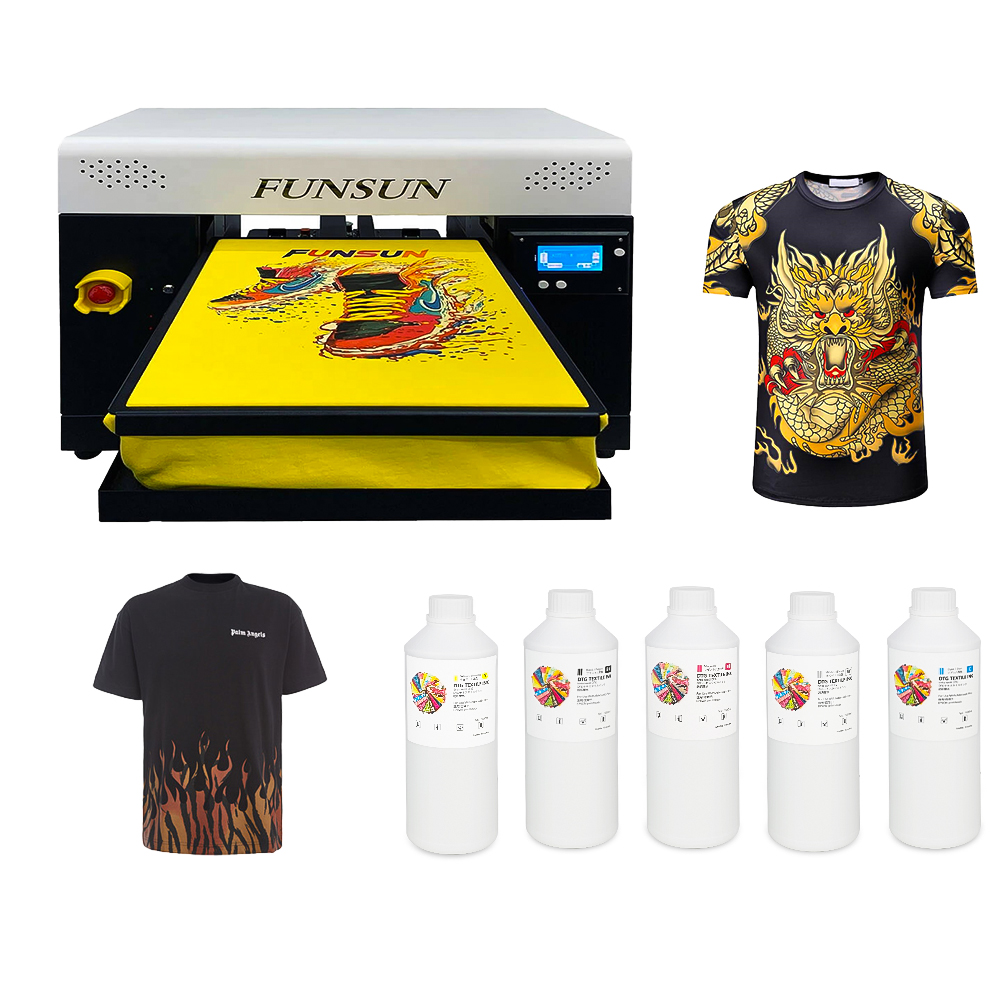
White ink is essential in DTG printing, especially when printing on dark or colored garments — but it is also the most common cause of printer maintenance issues. Because white ink contains titanium dioxide, a dense pigment that settles faster than CMYK inks, it can dry inside the printhead or ink lines if not handled correctly.
Clogging leads to banding, missing nozzles, wasted ink, maintenance time, and costly repairs. The good news? With the right habits and products, white ink clogging can be minimized or even prevented.
Below are the key strategies to keep your DTG printer running smoothly and printing con
1. Shake the White Ink Regularly
White ink separates naturally — this is normal. The heavy titanium dioxide settles at the bottom of the cartridge or tank.
✔ Best Practices:
Shake white ink daily before use
Rotate or agitate ink cartridges if the printer is unused for several days
For bulk systems, stir or use circulation features if available
This keeps pigment density consistent and prevents sediment buildup in tubing.
2. Perform Routine Nozzle Checks and Light Maintenance
Skipping maintenance is one of the fastest ways to cause clogs. Regular nozzle checks help detect issues early before they become severe.
✔ Maintenance Tips:
Do a quick nozzle check every morning
Run a light clean before printing if nozzles are missing
Avoid unnecessary deep cleaning unless required
Preventive care is always cheaper than repairs.
3. Store and Use Ink Properly
Temperature and humidity influence how ink behaves. Too dry and ink dries quickly; too humid and the fabric and machine absorb moisture.
✔ Ideal Conditions:
Room temperature: 20–28°C (68–82°F)
Humidity: 45–65%
Storing ink in stable environments prolongs shelf life and improves performance.
4. Print Regularly to Keep Ink Flowing
DTG printers perform best when used frequently. Long idle periods allow white ink to thicken and settle.
✔ Recommended Routine:
Print something every 1–2 days
For low-volume shops, run a purge or maintenance pattern
Avoid leaving the machine off for long periods
Consistent ink motion prevents drying in the print head.
5. Use High-Quality Ink Designed for Smooth Flow
All DTG inks are not equal. Poor-quality ink clogs faster, lacks stable suspension, and may damage printheads.
Winnerjet White DTG Ink is formulated with:
Stable suspended titanium dioxide
Optimized viscosity for Epson-based print heads
Better flow and reduced clogging risk
Strong opacity and brightness
Using a reliable ink saves money in the long run by reducing downtime and maintenance.
Optimizing White Ink Solutions for Brother, Epson, and Industrial Printheads
Different DTG printer setups require specific white ink maintenance and formula compatibility to guarantee clog-free performance:
For Brother DTG Systems (e.g., GTX Series): These machines rely on high-frequency firing. Using a white ink with stable wet-cap properties is crucial. Ensure your white ink matches the original viscosity to prevent jetting errors and sedimentation in the sub-tanks.
For Epson DTG Printers (e.g., SureColor F2100/F3070): Epson’s micro-piezo printheads possess dense nozzles that are highly sensitive to particle size. To protect these printheads, your white ink must feature triple nano-grade filtration. This prevents premature dampener clogging and circulation choke.
For Industrial Printheads (Ricoh G5/G6, etc.): Industrial setups require high-speed, continuous output. A premium white ink with advanced anti-settling technology minimizes heavy head cleans and ensures consistent white opacity across bulk runs.
Looking for a reliable, clog-free white ink tailored for your printer model? Discover our Premium Nano-Filtered DTG White Ink Series.
Final Thoughts
White ink clogging is one of the most common DTG challenges — but with proper storage, regular maintenance, environmental control, and high-quality ink, you can dramatically reduce the risk.
Whether you run a small print shop or high-volume DTG operation, prevention is key. With the right workflow and dependable consumables like Winnerjet’s DTG White Ink and pretreatment, your machine stays cleaner, prints stay brighter, and your production stays efficient.
Keep the ink flowing — and your business running smoothly.
FAQ
Why does white ink clog more than color ink?
Because it contains dense titanium dioxide pigment, which settles faster and dries more easily inside printheads.
How often should I shake white ink?
Daily. If you print heavily, shake before each print session for consistent pigment suspension.
Yes — low humidity dries ink faster. Keeping the room above 45% humidity helps prevent drying inside the printhead.
Lorem ipsum dolor sit amet, consectetur adipiscing elit. Ut elit tellus, luctus nec ullamcorper mattis, pulvinar dapibus leo.
Lorem ipsum dolor sit amet, consectetur adipiscing elit. Ut elit tellus, luctus nec ullamcorper mattis, pulvinar dapibus
leo.
Yes — low humidity dries ink faster. Keeping the room above 45% humidity helps prevent drying inside the printhead.
Can humidity affect clogging?
Yes — low humidity dries ink faster. Keeping the room above 45% humidity helps prevent drying inside the printhead.
Can You Print on a DTG Printer Without White Ink?
Yes. When printing on white or light-colored 100% cotton, you can turn off white channels in your RIP software and print using CMYK only. This eliminates daily white ink maintenance, prevents printhead clogging from titanium dioxide settlement, and significantly lowers your cost per print.
Do You Need Pretreatment on Shirts Without White Ink DTG?
Generally, no. CMYK-only prints on light cotton bond well without pretreatment, leaving a very soft hand-feel. However, for maximum color vibrancy and industrial-grade wash durability on premium or blended fabrics, a light mist of pretreatment is still recommended.