In the Direct-to-Garment (DTG) industry, every professional printer knows the struggle: white ink is the biggest headache. It is expensive, requires constant agitation, and, if not maintained perfectly, is the leading cause of printhead clogs.
But what if you could achieve stunning results without using a single drop of white ink? In this guide, we will show you exactly how to print on Epson DTG without white ink. This strategy will not only drastically reduce your production costs and boost your print speeds but also produce the “zero-feel” breathable prints that customers crave.
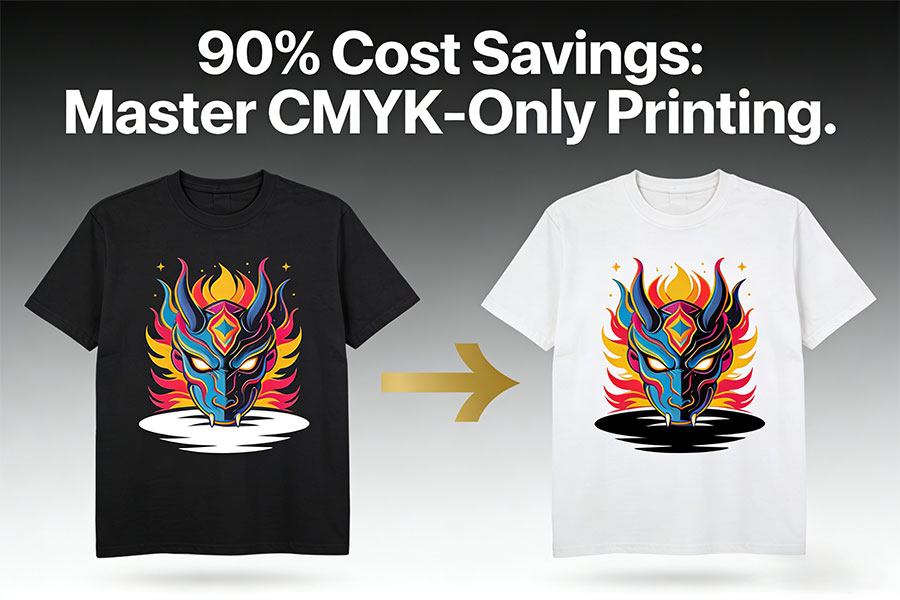
Why Switch to No-White Ink Printing?
Understanding the competitive advantage of “CMYK-only” printing is key to scaling your business. This isn’t just a shortcut; it’s a high-profit strategy.
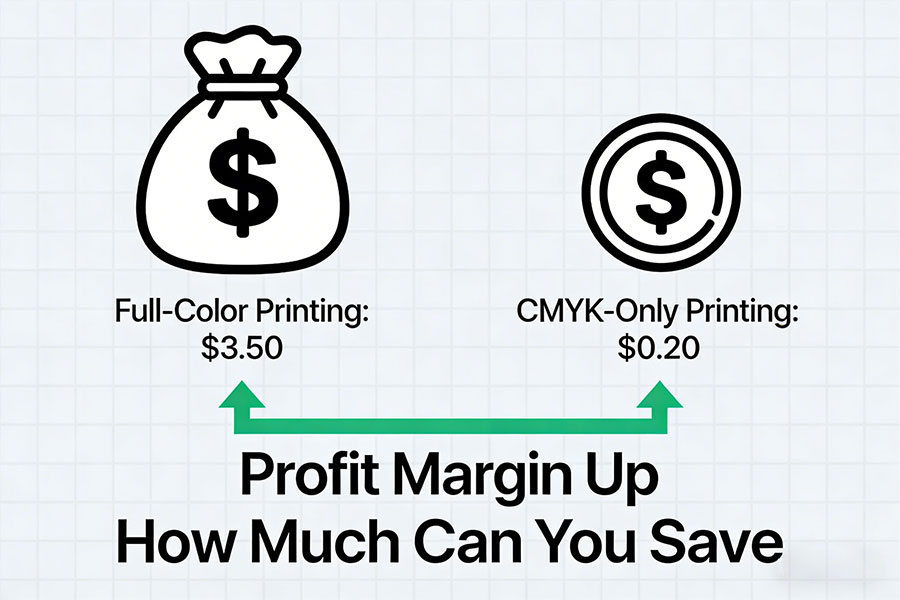
1. Doubling Profits: Extreme Cost Control
White ink is the single largest expense in DTG, typically accounting for over 60% of total consumable costs.
Eliminate Expensive Consumables: By skipping white ink, you also completely eliminate the need for Pretreatment liquid.
The Data: According to Winnerjet’s internal testing, printing a standard A4 full-color design with a white base costs between $2.50 – $3.50. Using CMYK-only, that cost plummets to just $0.20 – $0.40. Your profit margins on white T-shirts literally multiply.
2. User Experience: The “Zero-Feel” Breathability
Modern consumers—especially in high-end custom and athleisure markets—demand comfort.
The Physics: Traditional “CMYK+W” prints create a thin, plastic-like layer on top of the fabric. In contrast, CMYK-only printing allows the ink to penetrate and wrap around the cotton fibers without blocking the weave.
The Advantage: The result is 100% breathable and stays soft even after dozens of washes. This makes it the premier choice for summer tees, baby clothes, and premium loungewear.
3. Production Efficiency: Double Your Output
In the print business, time is money. White ink is the primary bottleneck in production.
Streamlined Workflow: No pretreatment, no secondary heat pressing to dry pretreatment, and no double-pass printing (white base + color pass).
Delivery Speed: On machines like the Epson F2100 or F2270, the “White T-shirt” mode is over 50% faster than dark garment modes. You can increase your daily output from 100 shirts to over 200 shirts on a single machine.
4. Simplified Maintenance: Extend Printhead Life
The Titanium Dioxide in white ink is prone to settling, which is the #1 cause of clogged nozzles.
Reduce System Strain: Frequent CMYK-only printing reduces the pressure on white ink pumps and dampers.
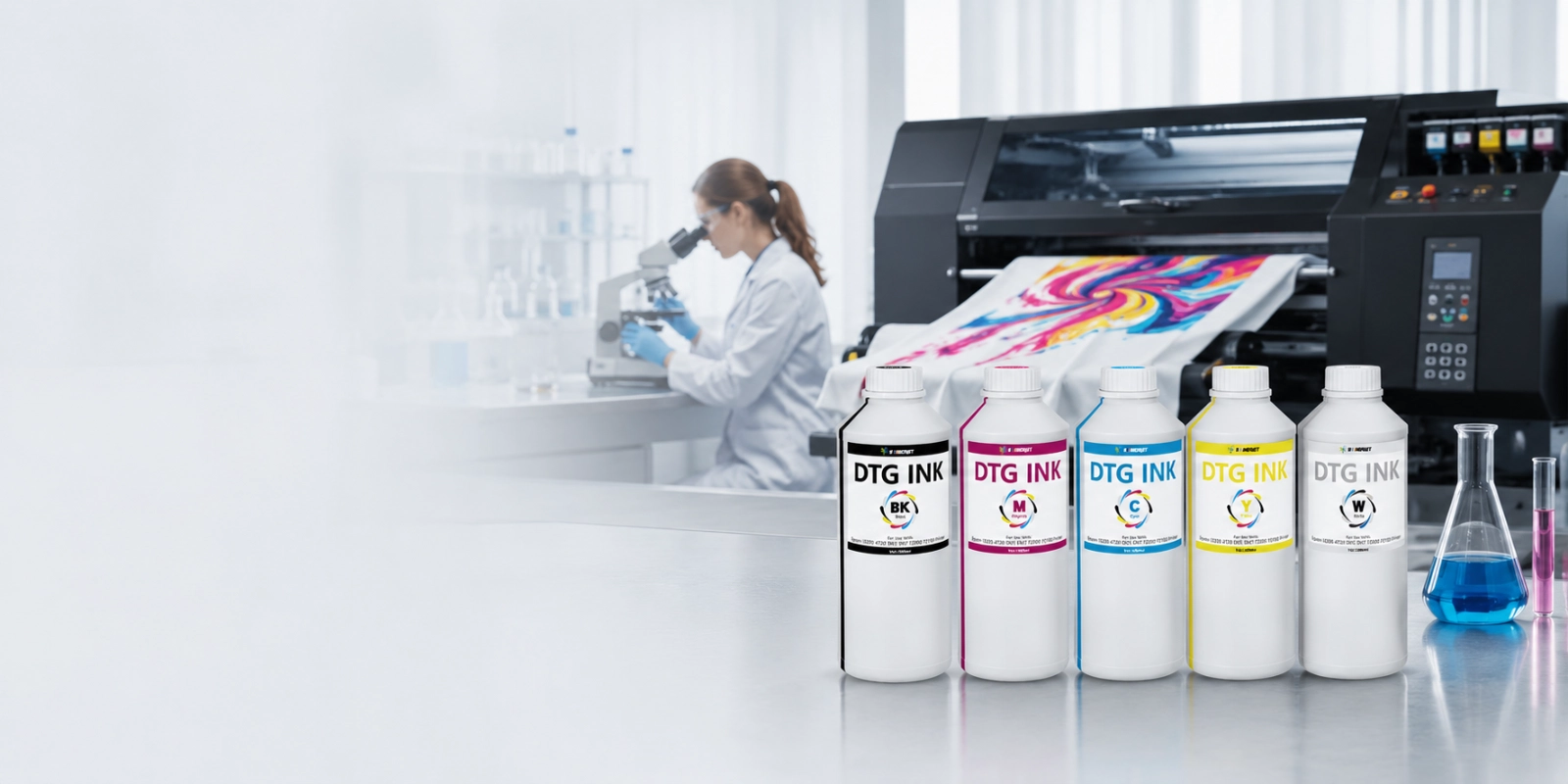
Pro Tip: Even when skipping white ink in your prints, always ensure you have high-quality ink in the lines. Winnerjet professional-grade DTG inks feature a refined milling process that keeps nozzles lubricated and prevents drying, even during low-frequency white ink use.
Best Fabrics for This Method
Since CMYK inks are translucent, they rely on the garment’s base color to reflect light. To ensure vibrant results without “dull” colors, follow these selection rules:
100% Cotton (The Gold Standard): Cotton fibers absorb water-based inks best. Choose Combed Cotton or high-thread-count ringspun fabrics for the sharpest details. If using blends, check our DTG Ink Compatibility Guide to prevent fading.
Color Limitations (White & Light Pastels): Stick to white, off-white, or very light pastels (light heather gray, pale blue, pink).
Pro Use Case: Printing CMYK-only on Heather Gray creates a highly marketable “Vintage” look with absolutely zero hand-feel.
The “No-Go” Zone: This method will not work on black, navy, or dark garments. The dark fibers will absorb the translucent ink, making the design invisible. For these, stay with the Standard White Ink Workflow.
💡 Expert Advice: Fabric density varies by brand. If unsure, use a Winnerjet Test Sample Pack for a small trial run to verify washfastness and ink absorption before starting a bulk order.
Step-by-Step Tutorial: Setting Up Your Epson DTG
Step 1: Garment Prep (No Pretreatment!)
Skip the pretreatment machine entirely. Simply use a lint roller on your white T-shirt and heat press it for 5 seconds to remove moisture and wrinkles.
- Note: Ensure the fabric is bone-dry; residual moisture can cause CMYK ink to bleed.
Step 2: Epson Garment Creator Software Settings
- Launch the software and import your artwork.
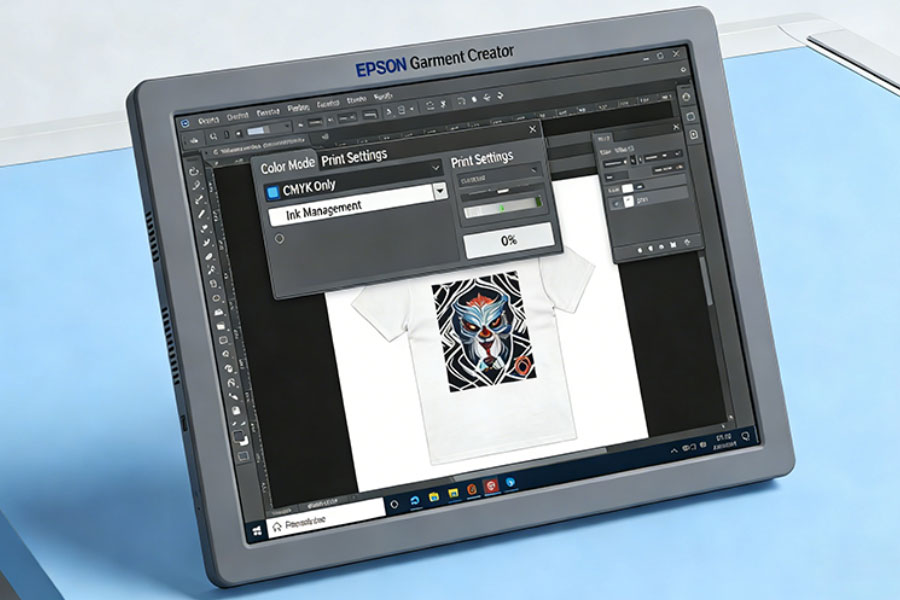
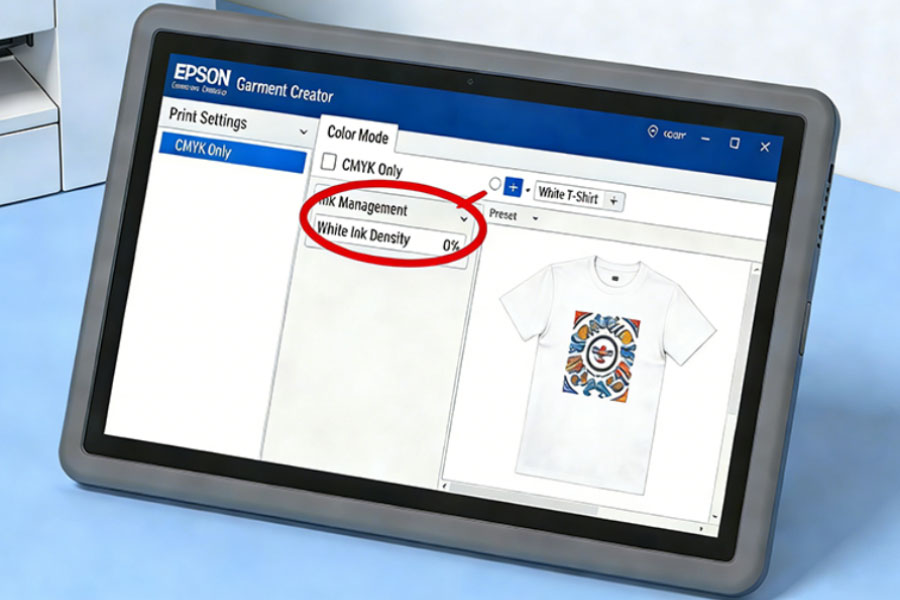
- In the “Preset” dropdown, you MUST select “White T-Shirt” or “Light Color Shirt”.
- Check the “Print Settings” to ensure the preview shows no white underbase and the “White Ink” option is toggled Off.
- Pro Tip: Since there is no white base to reflect color, increase your Ink Density by 10% – 20% to keep colors “popping.”
Step 3: Artwork Optimization
Ensure your file is in CMYK mode. Set your blacks to “Rich Black” so they appear deep and saturated rather than charcoal gray. High-contrast designs perform best here.
Step 4: Execute Printing
Load the platen and hit print. You will notice the printhead moves much faster, finishing the job in roughly half the time of a dark garment print.
Step 5: Curing the Ink
Curing is faster because the ink layer is thinner:
Heat Press: 330°F (165°C) for 45–60 seconds at medium pressure.
The Test: After curing, perform a light stretch test. If the image doesn’t crack and the color holds, your cure is perfect.
Maintenance Check: Don’t Let Your White Channels Dry!
EvWhile skipping white ink can significantly boost your profit margins, neglecting the maintenance of those channels can lead to a nightmare: an expensive printhead replacement. Even if you plan on printing exclusively in CMYK mode for the foreseeable future, never leave your white ink channels empty or stagnant.

Why Does White Ink Require Attention—Even When You’re Not Using It?
Epson DTG printers (such as the F2100 and F2270) are engineered with the requirement that all color channels remain in healthy, working condition. DTG white ink contains Titanium Dioxide, a heavy pigment that is highly prone to settling. If the ink stops circulating:
Sedimentation & Clogging: The pigment will solidify within the ink lines and the printhead, leading to permanent, unrecoverable clogs.
Hardware Damage: The printer’s pump system and wipers can be compromised or see a shortened lifespan if they are constantly exposed to dried, crusty white ink residue.
Professional Maintenance Strategies
To protect your equipment while maximizing your savings, we recommend the following two strategies:
Strategy A: Maintain Daily Circulation (Recommended) Even on days when you aren’t printing with white ink, ensure the machine’s auto-circulation feature is active. Before starting your shift, manually shake the white ink cartridges to redistribute the pigment.
The Winnerjet Advantage: Our high-performance DTG inks are formulated with superior suspension stability. This specialized molecular structure significantly reduces the risk of clogging compared to standard inks, even during periods of low-frequency use.
Strategy B: Switch to a Cleaning Solution (Best for Long-Term CMYK Printing) If you plan to print only on light-colored garments for several weeks or months, consider flushing your white channels and filling them with [Winnerjet Specialized DTG Cleaning Solution]. This solution keeps the channels hydrated and clear of sediment, allowing you to focus entirely on your CMYK production without the stress of head clogs.
Summary
Investing in high-quality consumables is the most effective way to protect your hardware. Winnerjet’s ink formulas are precision-tuned for Epson printheads, offering not only vibrant color output but also industry-leading lubrication and anti-settling properties.
💡 Pro Tip: Perform a simple Nozzle Check at the end of every workday. Ensuring that every channel—including the white ones—is firing perfectly is the easiest and most cost-effective way to extend the life of your printer.
How much can white ink-free printing save you?
For many beginners entering the DTG industry, white ink is a “hidden cost trap.” In traditional digital direct-to-garment printing, white ink and its related consumables typically account for over 60% of your total production costs.
To give you a clear picture of the commercial value of no-white ink printing, we performed a deep-dive cost analysis based on a standard A4-sized design (approx. 8.3″ x 11.7″):
Production Cost Comparison Table
CMYK only printing vs CMYK +W
| Cost Metric | Full Color Mode (CMYK + W) | No-White Ink Mode (CMYK Only) | Total Savings |
|---|---|---|---|
| Garment Compatibility | Dark, Black, & Colored fabrics | White, Off-white, & Light colors | - |
| White Ink Usage | ~ 8 - 10 ml | 0 ml | 100% |
| Color Ink Usage | ~ 1 ml | ~ 1.2 ml (High Density) | -20% |
| Pretreatment Liquid | ~ 20 ml (Mandatory) | 0 ml (None) | 100% |
| Estimated Total Cost | $2.50 - $3.50 / shirt | $0.20 - $0.40 / shirt | ~ 90% |
| Production Time | Long (Pretreat, dry, 2-pass) | Instant (Direct, 1-pass) | ~ 60% Faster |
[ Get a Live Quote on Ink Prices ]
The Bottom Line: Slashing Production Costs by 90%!
The data speaks for itself—switching to a no-white ink workflow can reduce your per-unit production costs by 90%.
What does this mean for your business?
- Ultra-Competitive Pricing: When bidding on bulk orders for white promotional tees or spirit wear, you can offer prices far lower than your competitors while maintaining a massive profit margin.
- Faster Return on Investment (ROI): Every cent saved on ink is pure profit. For Winnerjet High-Density Ink users, our wider color gamut allows you to achieve vibrant visuals with even less ink, squeezing even more value out of every drop.
- Market Differentiation: You can offer your clients tiered pricing—an “Eco-Friendly/Budget” option (No-White Ink) and a “Premium” option (with White Base)—to capture customers at every price point.
How to Choose the Right Ink for No-White Ink Printing
Not all DTG inks are created equal, especially when it comes to “CMYK-only” workflows. Without the reflective white underbase to “pop” the colors, standard inks often appear dull, muddy, or faded on light fabrics. Furthermore, poor-quality inks often suffer from severe fading after just a few washes.
When sourcing or upgrading your consumables, look for these three critical technical specifications:
1. High Pigment Load
In the absence of white ink support, the richness of your print depends entirely on the pigment concentration in your color inks.
The Winnerjet Advantage: Our Premium DTG Series features a high-density color formula specifically optimized for saturation in no-white modes. Compared to standard market inks, Winnerjet offers 20% higher color vibrancy, ensuring that even a single-pass print on a white tee delivers “oil-painting” levels of vividness.
2. Advanced Binder Balance Technology
Because no-white ink printing typically skips the pretreatment step, the ink must rely on its own internal binders (resins) to bond with the cotton fibers.
The Key to Washfastness: A premium ink must achieve a perfect balance between “flowability” and “adhesion.” Always ask your supplier for the Wet/Dry Crock Fastness ratings. Winnerjet inks undergo rigorous testing to ensure your prints stay sharp, vibrant, and crack-free, even after dozens of laundry cycles.
3. Specialized Compatibility with Epson TFP Printheads
CMYK-only printing often requires manually increasing the “Ink Density” in your settings, which puts heavy demand on the printhead’s continuous firing capability.
Anti-Clogging Design: It is vital to use inks specifically engineered for Epson TFP MicroPiezo printheads. Winnerjet inks feature nano-scale filtration and ultra-fine particles, ensuring smooth, consistent ink flow without drop-outs, even at high-load and high-density settings.
💡 Buyer’s Tip: For users trying the no-white ink workflow for the first time, we recommend the Winnerjet 5-Color (CMYK+W) Sample Kit. Even if you focus on light-colored garments, we advise keeping white ink in your lines for daily auto-maintenance to prevent the printhead from drying out and failing.
Conclusion: Maximize Your ROI
Learning how to print on Epson DTG without white ink is a game-changer. By cutting 90% of your consumable costs and offering a superior “zero-feel” product, you can dominate the competitive custom apparel market.
Ready to boost your print quality?
At Winnerjet, we specialize in high-saturation CMYK inks designed specifically for Epson systems. Achieve brilliant colors even without a white underbase.
[Browse our Premium DTG Ink Collection] and start optimizing your production costs today!