
Applied a crooked UV DTF sticker on a glass cup or need to rework a batch of tumblers? Removing a cured UV DTF transfer from glass can be challenging because the industrial adhesive is engineered for permanent durability. However, with the right heat application and gentle peeling techniques, you can safely strip off the design without scratching the delicate glass surface.
Step Guide: How to Remove UV Sticker from Glass Safely
1️⃣ Gather the Right Tools
Before you begin, please ensure you have the proper tools ready to avoid damaging the glass. You will need the following items:
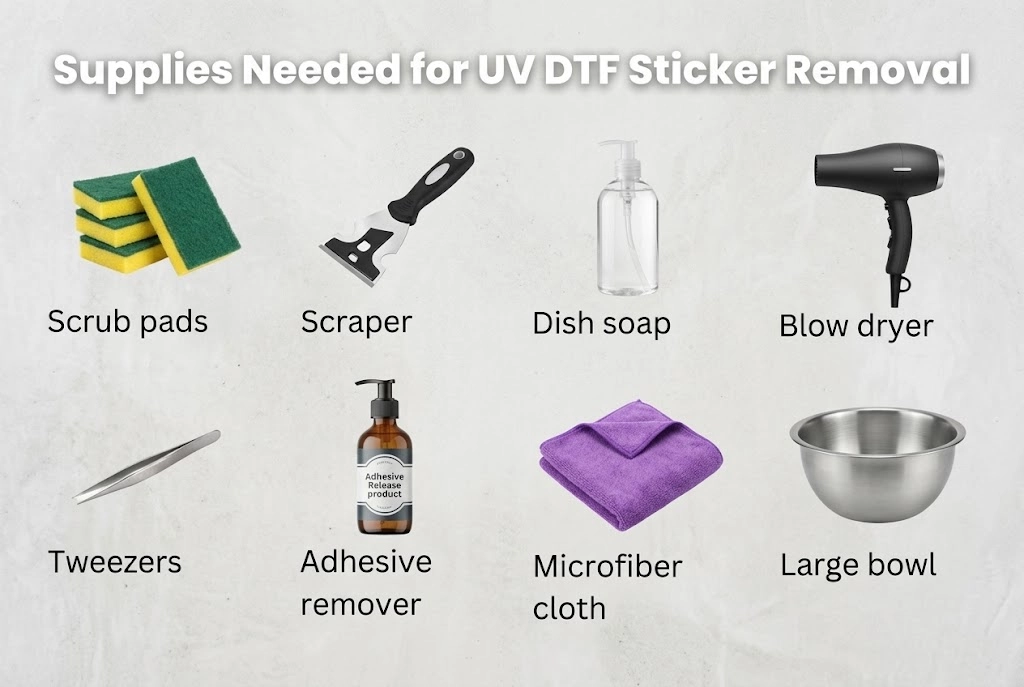
- Scrub pads: Scrub away softened glue residue gently without scratching delicate glass surfaces.
- Scraper (Plastic): Safely lifts edges and peels the transfer film cleanly; plastic blades eliminate scratch risks.
- Dish soap: Acts as a mild surfactant in warm water soaks to penetrate and weaken the adhesive bond.
- Blow dryer: Delivers controlled heat to soften hardened UV adhesives for smooth, tear-free peeling.
- Tweezers: Precisely grip lifted corners and remove tiny, intricate vinyl pieces or lettering.
- Adhesive remover: Chemically dissolves the sticky residual glue layer left on the glass after peeling.
- Microfiber cloth: Buffs away dissolved glue streaks and solvents, restoring the glass to a spotless shine.
- Large bowl: Holds warm soapy water for full or partial submersion to soak and loosen stubborn bottle transfers.
💡 Tip: Using a high-quality adhesive remover will save time. Winnerjet’s UV DTF adhesive release solution works well for thick, stubborn prints.
2️⃣ Soften the Adhesive with Heat
- Turn on your heat gun (low to medium setting) or hairdryer.
- Hold it 2–3 inches away from the UV DTF print.
- Heat for 20–30 seconds, moving in slow circles to avoid overheating the glass.
Why it works: Heat softens the UV DTF adhesive, making it easier to peel off without tearing.
3️⃣ Start Peeling from the Edge
- Use your plastic scraper to lift one corner gently.
- Once you get a grip, peel slowly and steadily.
- If you feel resistance, stop and apply more heat before continuing.
Avoid: Pulling too fast — it can cause the film to break into small pieces, making removal harder.
4️⃣ Remove Leftover Adhesive
After peeling, some sticky residue might remain. Here’s how to clean it:
- Soak a microfiber cloth in isopropyl alcohol or adhesive remover.
- Apply it to the residue and let it sit for 2–3 minutes.
- Wipe in circular motions until the glass is clean.
Winnerjet’s adhesive release solution can remove residue in under a minute, even from large surfaces.
5️⃣ Final Clean and Inspection
- Wipe the glass with a clean microfiber cloth and glass cleaner.
- Inspect for any scratches or haze — if present, buff lightly with a non-abrasive polishing cloth.
- Let the glass cool down before reapplying any new UV DTF print.
Are UV DTF Stickers Removable or Permanent?
UV DTF stickers are designed to be semi-permanent and waterproof, meaning they will not peel off under normal daily use or hand washing. However, they are removable when intentional force, controlled heat, and solvent removers are applied to dissolve the industrial adhesive bond.
Removing UV DTF Stickers from Non-Submersible Items
While removing UV DTF stickers from glass bottles and tumblers is straightforward, applying UV DTF transfer to items like wooden trays, coated tumblers, matte plastics, leather, or electronic device casings, soaking them in a bowl and using the 5-step heat and soak method above; not all substrates can handle water submersion. If your UV DTF transfer is applied to items like wooden trays, coated tumblers, matte plastics, leather, or electronic device casings, soaking them in a bowl is strictly out of the question.
Here is what you need to keep in mind and the exact techniques to use for non-submersible, delicate surfaces:
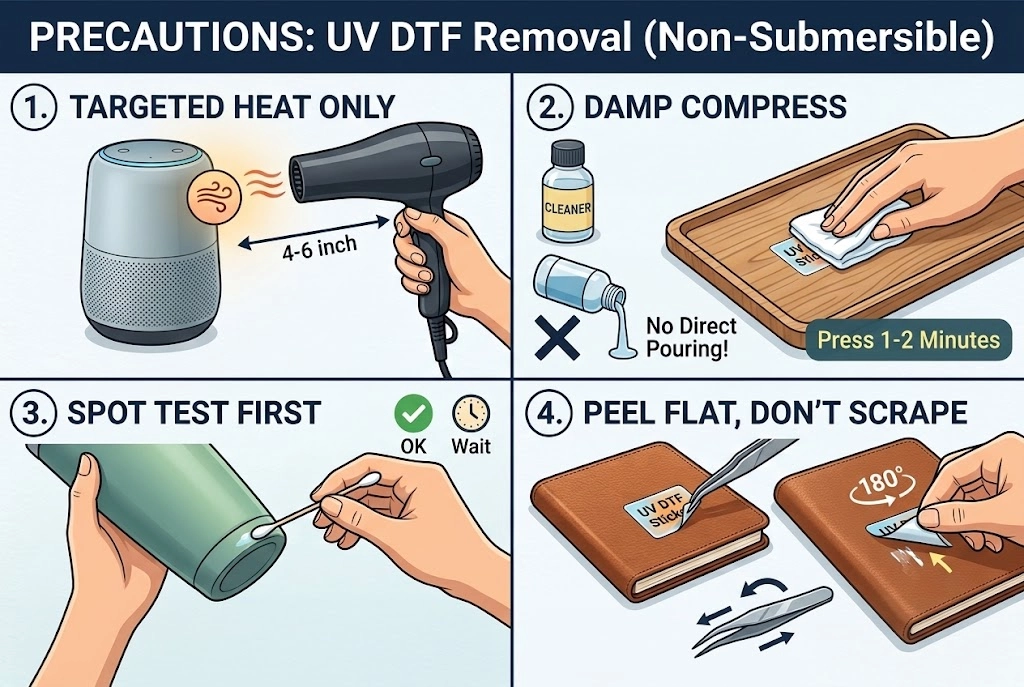
Targeted Heat Only: Use a blow dryer on low heat. Keep it 4–6 inches away and moving continuously to avoid warping or burning finishes.
Damp Compress (No Direct Pouring): Never pour liquid directly. Dampen a cotton pad or cloth with adhesive remover, press it on the sticker for 1–2 minutes, and wipe.
Spot Test First: Test your solvent on a hidden corner to make sure it doesn’t strip paint, matte coatings, or acrylic finishes.
Peel Flat, Don’t Scrape: Avoid hard scrapers that scratch soft surfaces. Use tweezers to lift the edge, then peel backward flat against the surface.
Quick Removal Checklist:
- Use heat to loosen the adhesive
- Peel slowly with a plastic scraper
- Clean residue with alcohol or remover
- Avoid metal tools to protect glass
Need Better Materials That Don’t Peel?
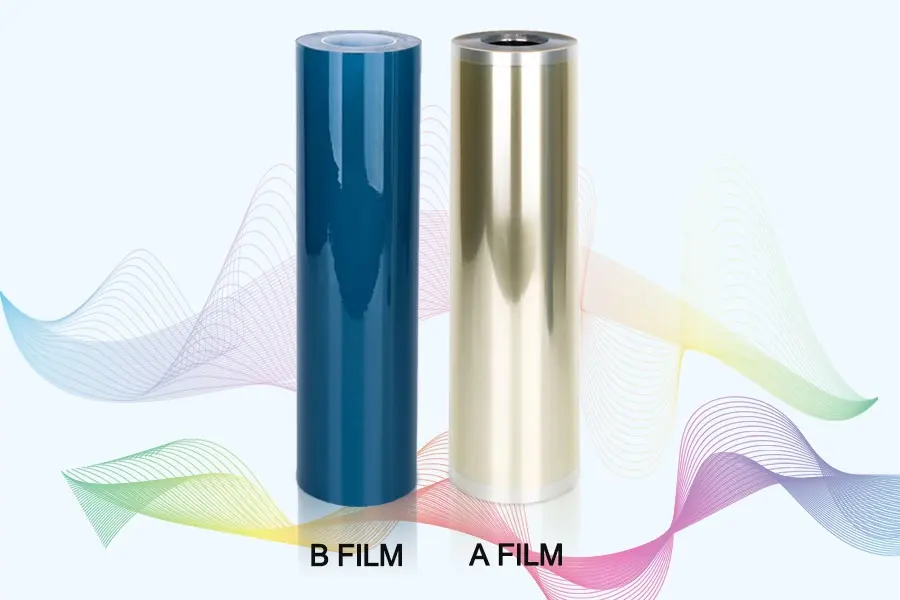
If you want UV DTF prints that last but can still be removed cleanly when needed, Winnerjet’s UV DTF film and adhesive solutions are designed for strong adhesion with easy removal when necessary.
📩 Get a Quote Today to see the Winnerjet difference.
FAQs: How to Remove UV DTF from Glass
Can I remove UV DTF from glass without heat?
Yes, but it’s harder. Without heat, you’ll need more adhesive remover and patience.
Will removing UV DTF damage the glass?
Not if you use plastic tools and avoid scraping too hard.
What if the UV DTF breaks into pieces?
Reapply heat to each section before peeling again.
Can I reuse a UV DTF print once removed?
No. UV DTF is not reusable — once removed, the adhesive loses its grip.
What’s the easiest way for large glass panels?
Work in sections, applying heat and peeling gradually, then clean all residue at the end.
Will Rubbing Alcohol Remove UV DTF?
Yes, 90%+ isopropyl alcohol can break down the adhesive residue, but it is generally too weak to dissolve fully cured UV ink films on its own. For best results, use heat and a plastic scraper to lift the top transfer layer first, then wipe the remaining sticky residue away with rubbing alcohol.







