
Finding the best sublimation printer isn’t just about the initial machine price—it’s about long-term ink costs, ICC color accuracy, and maintenance. Many beginners get stuck choosing between low-cost converted desktop inkjet printers (like the Epson EcoTank) and specialized, closed-ecosystem machines (like the Sawgrass SG series).
In this guide, we break down the top models on the market, analyze real-world operating costs per print, and show you exactly which printer fits your business size without risking frequent printhead clogs.
What Is a Sublimation Printer?
A sublimation printer uses special ink and heat to print images on products. The ink turns into gas when heated and bonds with the surface of items like polyester fabric or coated mugs.
This process gives you:
- Bright colors
- Long-lasting prints
- Smooth, no-peel designs
Sublimation printing works best on white or light-colored polyester materials.

What Should You Look for in a Sublimation Printer?
Here are the most important things to think about before you buy:
1. What Size Prints Do You Need?
- A4 or A3 printers are great for T-shirts, mugs, and small items.
- Large-format printers are better if you plan to print on big items like banners or full T-shirts.
2. How Much Will You Be Printing?
- Just a few items per week? A small, budget-friendly printer is enough.
- Planning to take many orders? Get a faster, more durable machine.
3. What About Color and Print Quality?
You want a printer that delivers sharp images and bright colors. Using good ink and paper also makes a big difference.
✅ Winnerjet sublimation inks are made to give you clear, vivid prints without clogging issues—perfect for first-time users and small shops.
4. Easy to Maintain?
Look for a printer that’s easy to clean and won’t clog easily, especially if you’re new to printing.
5. How Much Can You Spend?
- Entry-level: $300–$500
- Business-ready: $800–$1,200
- Pro-level: $1,500+
Don’t forget to add in the cost of ink, paper, blanks, and accessories.
Types of Sublimation Printers (Compared Simply)
| Printer Type | Good For | Things to Know |
|---|---|---|
| 🛠️ Converted Inkjet Printers | Low-budget users | Cheaper, but setup takes some effort |
| ✅ Built-for-Sublimation Printers | Beginners and busy sellers | Easy to use, but more expensive |
| 🏭 Wide-Format Printers | Large orders, big items | Fast and powerful, but pricey |
🟩 Winnerjet Sublimation Printer is a great balance—it’s designed for sublimation, easy to use, affordable, and works with high-quality ink and paper.
Best Sublimation Printers to Buy in 2025
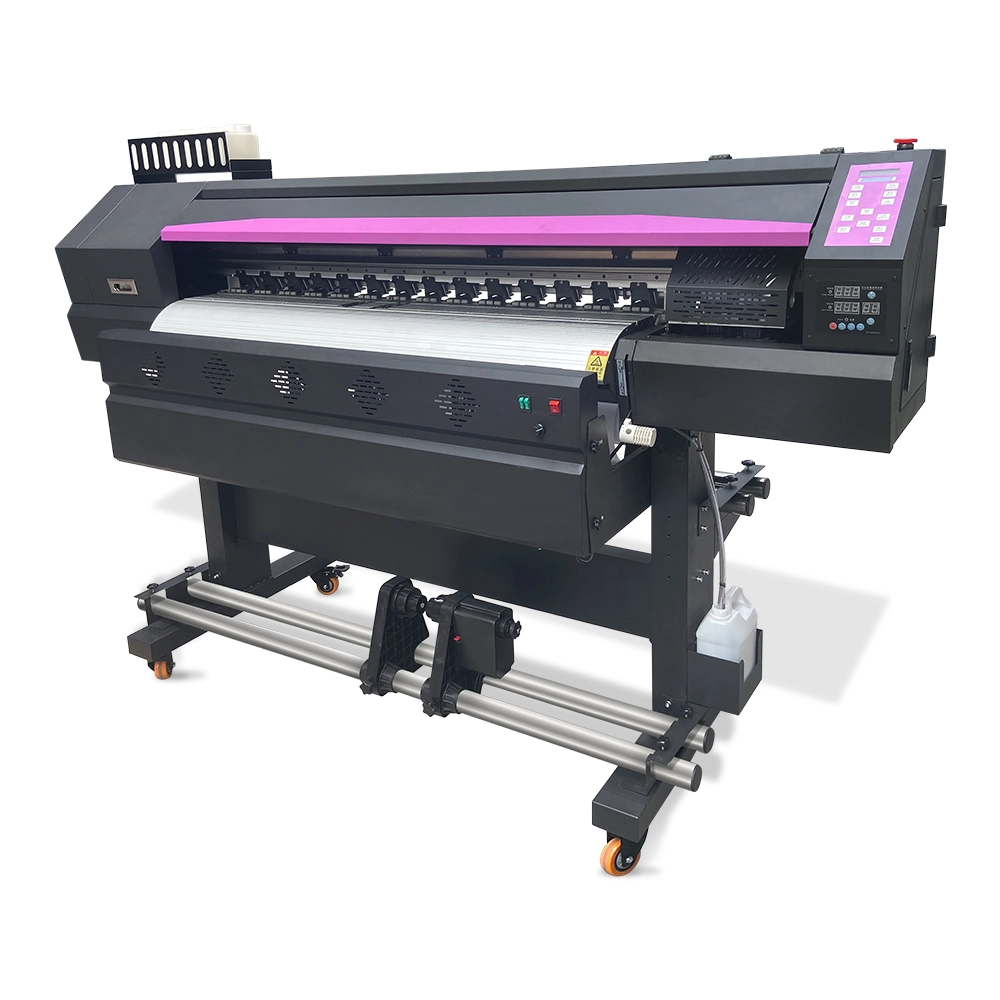
🔹 Winnerjet Sublimation Printer (Top Value Pick)
- Easy setup and friendly for first-time users
- Works with various sizes of blanks: shirts, mugs, puzzles
- Pairs with Winnerjet ink and paper for better results
- ✅ Perfect for small businesses that want great print quality at a smart price.
🔹 Epson EcoTank ET-15000
- Converts easily for sublimation
- Low ink cost with refillable tanks
- Best for hobbyists or DIY businesses
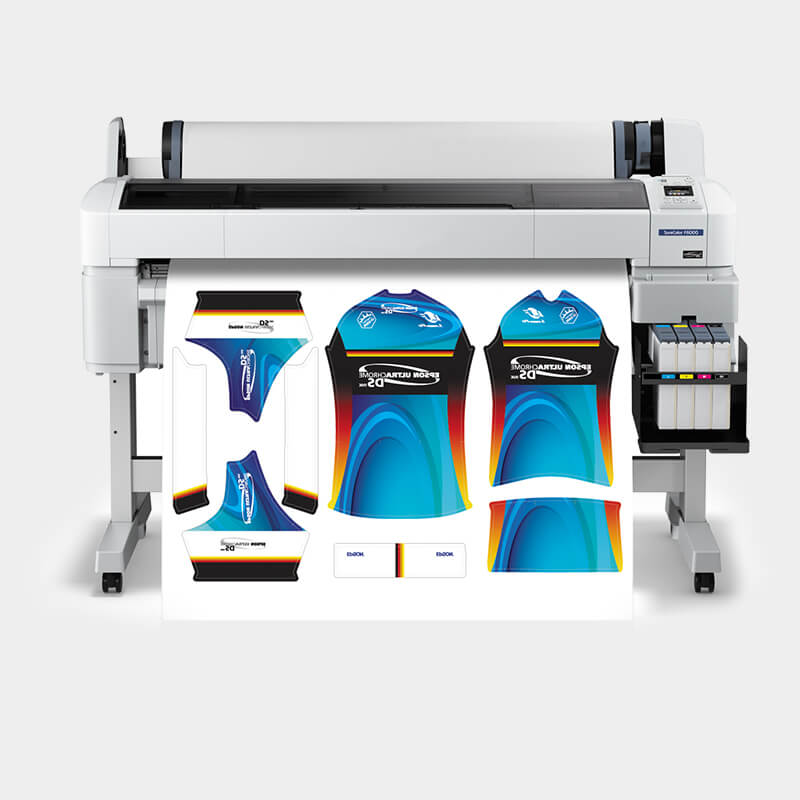
🔹 Epson SureColor F570
- Prints up to 24 inches wide
- Great for big jobs and fast production
- Ideal for growing print shops
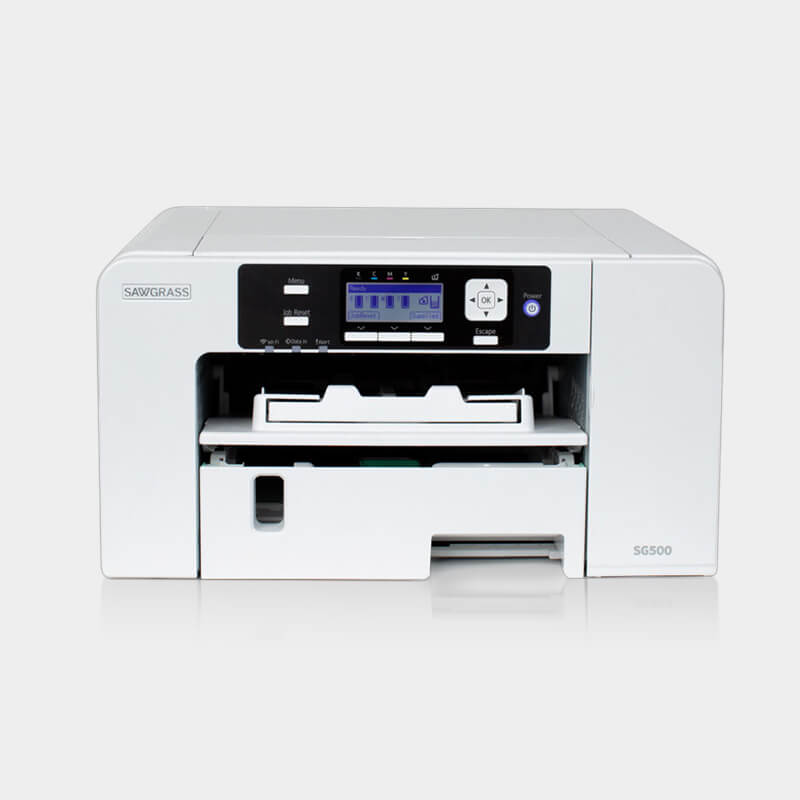
🔹 Sawgrass SG500 / SG1000
- Made for sublimation only
- Comes with its software
- More expensive but hassle-free
Epson vs Sawgrass – Which One Should You Choose?
| Feature | Epson (Converted) | Sawgrass (Dedicated) |
|---|---|---|
| Setup | Takes some effort (Manual fill) | Plug-and-play |
| Upfront Cost | Cheaper in the beginning | Higher price tag |
| Color Control | Needs custom ICC setup | Built-in Virtuoso manager |
| Maintenance | Manual purge and flexible flush | Automated self-cleaning |
| Long-Term Inks | Very low cost (Bulk bottles) | Expensive OEM cartridges |
👍 If you want an easy, ready-to-go printer, Winnerjet Sublimation Printer offers preconfigured options that combine the Epson engine + Winnerjet’s expert tuning, so you get the best of both worlds—quality and simplicity.
Accessories You’ll Also Need
To get started, you’ll also need:
- Sublimation paper – helps the ink transfer properly
- Heat-resistant tape – keeps your design in place
- Teflon sheet or pressing pad – protects your press
- Heat press – to apply the image to your product
🛒 Winnerjet also offers sublimation starter kits, including ink, sublimation paper, and accessories—all in one package.

Common Mistakes to Avoid
- ❌ Buying a printer that’s too small for your needs
- ❌ Using regular ink instead of sublimation ink
- ❌ Ignoring maintenance leads to clogs
- ❌ Choosing unknown brands with poor print quality
Which Sublimation Printer Should You Choose?
If your budget is under $500: Choose a converted 4-color EcoTank (e.g., ET-2800). Best for craft hobbyists willing to set up ICC profiles manually.
If you print apparel larger than A4: Opt for an A3+ format (ET-15000) or a 24-inch wide-format printer (SureColor F570) to avoid panel seams.
If you want plug-and-play without color tuning: Choose a factory-configured sublimation system or a ready-to-print bundle that works straight out of the box.
If you run a high-volume commercial shop: Invest in a dedicated wide-format roll printer to keep long-term ink costs below $0.03 per milliliter.
Quick Decision Tree:
For Hobbyists & Craft Starters (<$500): Converted desktop tank printers (e.g., Epson EcoTank ET-2800).
For Small Custom Shops & Studio Studios ($800–$2,000): Dedicated entry-level units (e.g., Sawgrass SG500, Epson SureColor F570).
For High-Volume Garment Factories & Bulk Banners (Industrial Scale): Commercial roll-to-roll setups like the Winnerjet WT-1860 (Dual i3200 heads) for high-speed continuous printing and ultra-low cost per square meter.
Final Tips – Print Smart, Grow Fast
A good sublimation printer is the foundation of a strong printing business. It affects your quality, speed, and even how much profit you make.
Whether you’re printing at home or scaling up, choose a printer that gives you:
- Sharp, colorful results
- Easy maintenance
- Affordable, reliable ink and paper
Need help choosing the right printer for your shop?
Winnerjet can help. We offer:
- Sublimation printers are ready to go
- High-quality ink and transfer paper
- Starter bundles for beginners
- Expert support for growing businesses
👉 Request a quote — let’s build your printing business together.
FAQs – Beginner Questions Answered
Can I use any regular printer for sublimation?
No. Only printers with Micro Piezo (piezoelectric) printheads (like Epson EcoTank) work. Thermal inkjet printers (HP, Canon) use heat to spray droplets, which activates sublimation ink inside the printhead and causes instant clogs.
What is the best sublimation printer for beginners vs small businesses?
Hobby / Low Budget (<$250): Converted Epson EcoTank ET-2400 / ET-2800 for mugs and small crafts.
Small Shops & Apparel: Epson EcoTank ET-15000 (A3+ 13″x19″ format) or dedicated Sawgrass SG500.
Industrial / Bulk Production: Large-format roll-to-roll machines like the Winnerjet WT-1860 (1.8m dual Epson i3200 heads) for lowest per-square-meter cost.
Can sublimation print on 100% cotton or dark shirts?
No, not directly. Sublimation ink only bonds with polyester fibers or polymer-coated blanks in white or light colors. For 100% dark cotton, use Direct-to-Film (DTF) printing or sublimation HTV vinyl instead.
How do I prevent sublimation printheads from clogging?
Run a 4-color test print every 2–3 days to keep ink flowing.
Maintain room humidity between 40% and 60%.
Use factory-filtered, anti-sedimentation inks (like Winnerjet sublimation inks) to avoid nozzle residue.
How much does it cost to start a sublimation business?
Desktop setups require $500–$1,200 in total (printer: $200–$600, flatbed heat press: $200–$400, ink & sublimation paper: $50–$80). Industrial continuous production setups require larger commercial formats.







