DTF (Direct-to-Film) printing is one of the hottest methods for creating custom apparel, tote bags, and more. Many small businesses and DIY creators choose Epson printers for DTF because they’re affordable, reliable, and easy to convert.
But with so many models available, you may be wondering: Which Epson printer is best for DTF? In this guide, we’ll break down the top Epson printers for DTF, compare their features, and share pro tips so you can choose the one that fits your needs.
Quick Verdict: Best Epson DTF Printers at a Glance
Best Overall Desktop (Easy Conversion): Epson EcoTank ET-8550 (A3+, low-cost ink tanks, excellent 6-channel separation).
Best for Ultra-Low Budget: Epson Expression Photo HD XP-15000 (Compact, A3+, but requires cartridge chips management).
Best Legacy Workhorse: Epson L1800 (Proven reliability, but slower print speeds).
Best for Heavy Commercial Output: Dual Epson i3200/XP600-based dedicated setups (Faster than converted desktop printers).
🔍 What Makes a Printer Good for DTF?
Not every printer is a good match for DTF printing. The best Epson printers share these qualities:
- Wide color support → must handle CMYK plus white ink.
- Strong ink flow → prevents clogging during longer print runs.
- Larger print size → A3 or A3+ lets you make big transfers for t-shirts and hoodies.
- Easy maintenance → refilling, cleaning, and part replacement should be simple.
- Durability → a printer that can handle frequent use without breaking down.
💡 Winnerjet Tip: Epson printers paired with Winnerjet DTF inks ensure smoother ink flow, brighter colors, and long-lasting results.

🏆 Best Epson Printers for DTF Printing
Here are the most recommended Epson printers for DTF:
🖨 Epson L1800 (A3 Size)
- One of the most popular entry-level choices for DTF.
- Prints large transfers (A3 format) for garments.
- Affordable, though printing speed is on the slower side.
Best for: Beginners or small shops starting.

🖨 Epson XP-15000
- Compact and budget-friendly.
- Supports A3+ printing, giving more space than standard A4.
- Good quality for beginners, though not as durable as higher-end models.
Best for: Hobbyists and small-scale creators.

🖨 Epson P600 / P800
- Professional-grade print quality and accurate colors.
- Reliable for high-volume printing.
- Higher price point, but excellent durability.
Best for: Small businesses needing consistent, professional output.
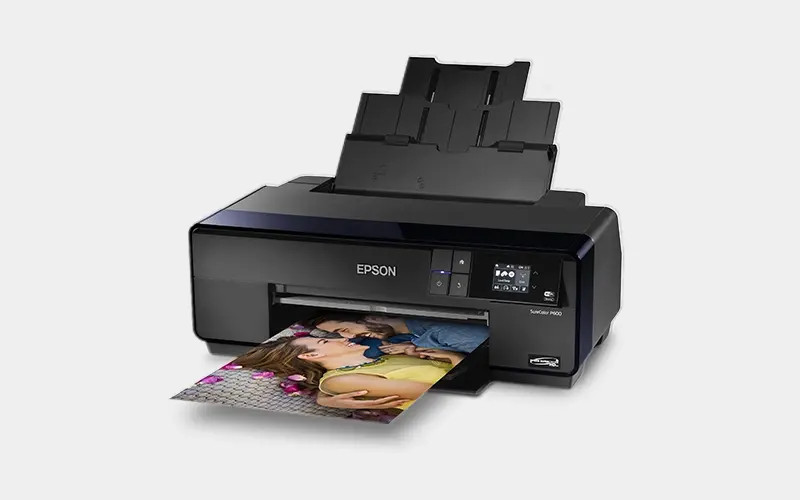
🖨 Epson ET-8550 (EcoTank)
- Features an easy-to-use EcoTank system for refilling ink.
- Lower running costs due to refillable tanks.
- Great for longer print runs, though not as fast as P800.
Best for: Small shops looking for cost-efficient printing.
📊 Comparison Table: Epson Printers for DTF
DTF white ink easily clogs nozzles, making printhead replacement an inevitable maintenance cost.
The printhead replacement costs listed in the comparison table below reflect average OEM and reputable aftermarket component prices sourced across global printing equipment suppliers and replacement parts marketplaces (excluding technician labor and regional import duties). Actual costs may fluctuate depending on component availability and channel reliability.
| Model | Print Format | Printhead Type | White Ink Solution | Replacement Head Cost | Best Use Case |
|---|---|---|---|---|---|
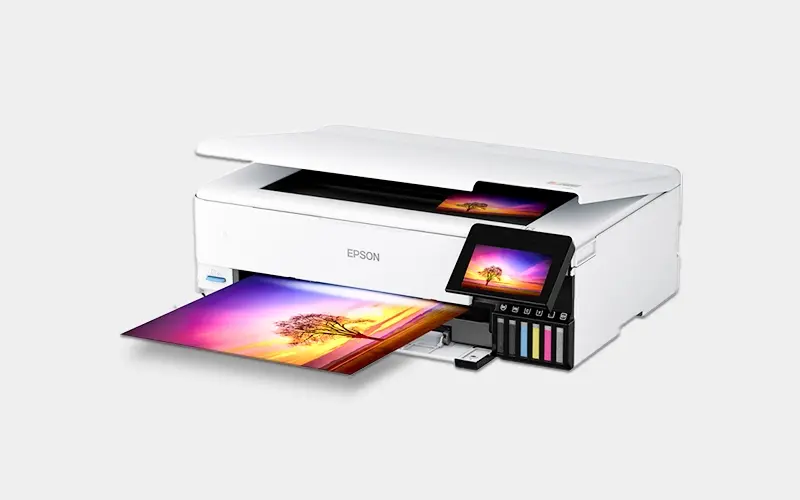
| Epson ET-8550 | A3+ (13"×19") | Micro Piezo VSDT | EcoTank (Manual shake / Add-on stirrer) | $180 – $260 | Best all-around desktop DTF conversion |
| Epson XP-15000 | A3+ (13"×19") | Micro Piezo 6-ch | Cartridge-based (Requires chipless mod) | $120 – $180 | Entry-level budget DIY creators |
| Epson L1800 | A3 (11.7"×16.5") | F173050 Piezo | External CISS (Easiest to add WIMS) | $150 – $220 | High-durability DIY workhorse |
| Epson P600/P800 | A3+ to 17" Roll | Advanced AMC/TFP | Pressurized lines (Multi-channel white) | $450 – $750+ | Professional commercial output |
You will often see classic models like the Epson L1800, P600, and P800 recommended in online communities. However, anyone planning to set up a DTF (Direct-to-Film) system today needs to consider the equipment’s lifecycle and market availability:
Discontinued Legacy Models (L1800, P600, P800): Most units today are second-hand or refurbished. Sourcing genuine parts and replacement heads is increasingly difficult and costly.
Current Desktop Mainstays (ET-8550 & L18050): The modern standard for DIY setups. They feature native ink tanks, active community support, and readily available parts.
The Commercial Shift (XP600 / i3200 Setups): For daily runs over 20–30 garments, converted office printers fall short. Dedicated DTF machines with Epson XP600 or i3200 heads offer built-in white ink circulation (WIMS) and far better reliability.
Tips for Choosing the Right Epson Printer for DTF
A3 / A3+ (13-inch width): Perfect for chest logos, tote bags, and standard t-shirt transfers.
60cm (24-inch format): Essential for oversized apparel, gang-sheet layouts, and minimizing film waste in continuous roll printing.
Evaluate White Ink Management
Converted desktop printers require manual tank shaking and frequent maintenance to prevent white ink clogs.
Dedicated DTF printers come standard with integrated White Ink Management Systems (WIMS), motorized stirring, and auto-circulation for uninterrupted runs.
Select High-Flow DTF Consumables
Even the best printhead will clog with poor-grade supplies. Always pair your setup with premium, high-viscosity textile inks, compatible PET films, and melt powders to maximize printhead life and color density.
While DIY-converting standard desktop Epson printers is a common starting point, it isn’t the only route. Beyond modifying office-grade Epson machines, you can also consider dedicated, factory-built solutions from specialized digital printing brands like Winnerjet—which integrate purpose-engineered DTF components (such as automated white ink stirring and roll feeding) without the trial-and-error of manual conversions.
To determine whether a converted desktop or a dedicated system fits your business, evaluate your daily output:
Small scale / DIY (Under 20 shirts/day): Converted desktop models like the ET-8550 or a dedicated turn-key setup like the Winnerjet A3 Desktop DTF Printer are ideal for compact workspaces, quick prototypes, and minimal upfront investment.
Commercial scale (50+ shirts/day): Upgrading to commercial roll-to-roll equipment is necessary to avoid daily maintenance bottlenecks and slow output speeds. For reliable, high-speed production, consider the Winnerjet Dual-Head i3200 60cm DTF Printer or the ultra-fast Winnerjet Four-Head i3200 60cm DTF Printer.
Which DTF Setup Should You Choose?
For DIY & Hobbyists (<15 shirts/day): Converted Epson ET-8550 or XP-15000 for low upfront costs.
For Turn-Key Desktop Output:A3 Desktop DTF Printer—ready to print without DIY conversion hassles.
For Commercial Production (50+ shirts/day): Dedicated Dual-Head i3200 60cm or Four-Head i3200 60cm for high-speed roll printing and zero manual shaking.
Poor ink chemistry ruins printheads fast. Protect your equipment and boost wash fastness with Winnerjet’s anti-clogging DTF inks, premium transfer films, and TPU powders.
🎯 Conclusion & CTA
Choosing the best Epson printer for DTF depends on your budget, printing size, and production volume:
- Epson XP-15000 → Best budget option.
- Epson L1800 → Beginner-friendly with larger format.
- Epson P600/P800 → Professional-grade for businesses.
- Epson ET-8550 → Cost-efficient EcoTank model.
👉 To get the most out of your Epson printer, pair it with Winnerjet’s professional DTF inks, films, and powders for brighter colors and longer-lasting prints.
📩 Request a Free Sample of Winnerjet DTF Inks & Films
🧠 FAQ
Can any Epson printer be converted to DTF?
Not all models. Only certain Epson inkjet printers with piezo printheads are suitable.
Do I need a white ink channel for DTF?
Yes, white ink is required to print on dark or colored fabrics.
Is Epson EcoTank good for DTF?
Yes, especially models like ET-8550 that are easy to refill and maintain.
Which Epson printer is the cheapest for DTF?
The Epson XP-15000 is the most budget-friendly option.
Can Winnerjet inks work with Epson printers?
Absolutely. Winnerjet DTF inks are specially designed for Epson heads, ensuring smoother printing and fewer clogs.