The DTG M2 utilizes Epson DX5 printhead technology. Image Armor’s E-Series is specifically engineered for Epson-based conversions and small-format industrial machines. In almost every scenario, Image Armor E-Series is the correct choice for the DTG M2. It delivers a rapid 35-second cure time and is formulated to prevent clogging within the M2’s White Ink Management System (WIMS).
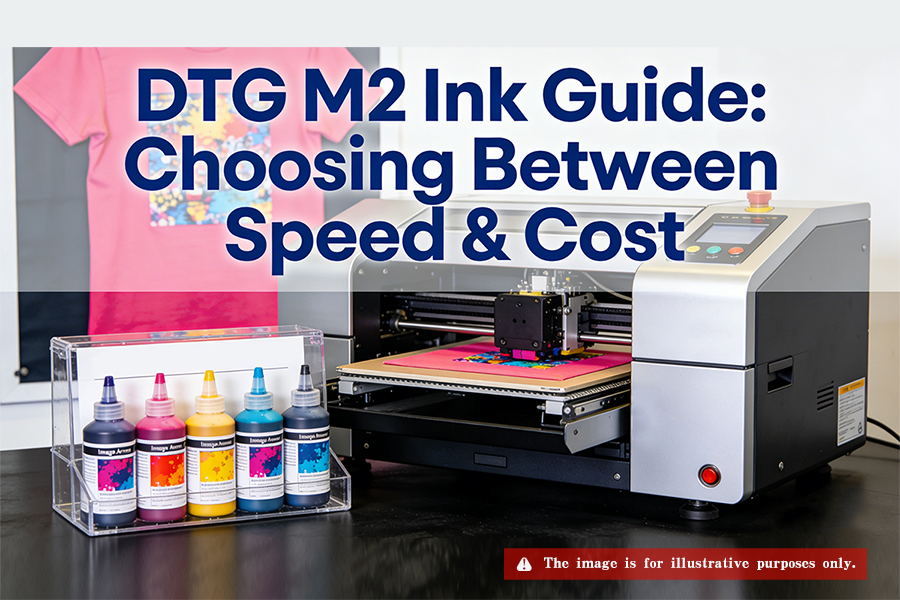
Image Armor Ink Compatibility with the DTG M2
When selecting ink for your DTG M2, it is vital to understand that the machine’s core relies on the Epson DX5 printhead. Because different ink series vary significantly in viscosity, surface tension, and chemical composition, choosing the wrong series can lead to permanent printhead damage.
The following table breaks down Image Armor ink compatibility for the DTG M2:
| Ink Series | Compatible Printheads | DTG M2 Compatibility | Key Technical Features |
|---|---|---|---|
| E-Series | Epson (DX5/DX7/5113) | 100% Recommended | Ultra-Fast Cure: 35s @ 180°C; High vibrancy and superior white opacity. |
| G-Series | Brother GT Series | Incompatible | High Viscosity: Risk of pump overload and printhead clogs in M2. |
| R-Series | Ricoh Gen4/Gen5 | Incompatible | Industrial Use: Chemical mismatch; causes M2 diaphragm damage. |
Expert Advice: While Image Armor E-Series dominates in curing speed, if you are a high-volume production facility looking to lower your cost-per-print while maintaining DX5 stability, Epson-compatible series from suppliers like Winnerjet are also leading mainstream alternatives for the M2.
Image Armor E-Series vs Alternatives
After identifying “which image armour ink for my dtg m2,” seasoned shop owners typically weigh production efficiency against operational costs. To demonstrate industry depth, we must look beyond a single brand and evaluate mainstream alternatives.
Image Armor E-Series (The Performance King for M2)
For shops prioritizing maximum turnaround speed, Image Armor E-Series is the undisputed choice:
Curing Advantage: Cures in just 35 seconds, compared to the industry standard of 90-120 seconds. This significantly boosts M2 production capacity, helping you tackle rush orders.
Physical Compatibility: The ink’s viscosity and tension are precision-tuned to perfectly fit the M2’s pressure system and dampers, ensuring consistent ink flow and reducing dropouts during high-speed production.
Winnerjet DTG Ink (The Value King for M2)
If you run a high-volume industrial shop where cost control is the key to survival, Winnerjet is one of the most stable third-party alternatives on the market:
Core Advantage:Extreme cost-efficiency. Winnerjet helps high-volume shops significantly reduce consumable costs, allowing for better profit margins in price-sensitive markets.
Technical Matching: Not all budget inks are safe. Winnerjet is specifically developed for the DX5 head and utilizes nanoscale filtration technology. This high-precision milling ensures that ink particles remain much smaller than the nozzle diameter, ensuring smooth flow through the M2’s complex ink lines.
Expert Selection Guide:
If you are a boutique custom shop requiring fast delivery, choose Image Armor E-Series to maximize your machine’s ROI. However, if the high cost of Image Armor is a concern, or if you are scaling up for mass production, Winnerjet is a field-proven choice that balances stability with profitability.
How to Safely Switch Inks?
Once you decide to switch from OEM/DuPont to Image Armor or Winnerjet, the biggest challenge is the transition. Because chemical compositions (resin ratios, surfactants) vary wildly between brands, mixing them can lead to immediate clogging. Whether you choose E-Series or Winnerjet, you must follow these industry-standard steps:
Deep System Flush
This is the #1 rule for protecting your Epson DX5 printhead.
Strictly No Mixing: If new and old inks meet in the lines, they can create chemical “flocculation” (sludge).
Matching Solutions: You must use the specific brand’s cleaning solution (e.g., Image Armor Cleaning Solution for E-Series, or Winnerjet’s specific Power Cleaner). Flush until the lines run completely clear.
Damper & Maintenance Check
A brand switch is the perfect time for a full equipment audit:
Damper Replacement: We strongly recommend replacing the M2’s dampers during a brand switch. Old dampers can hold residual sediment; new dampers ensure stable flow for the new ink.
WIMS Maintenance: The M2’s White Ink Management System is complex. Ensure the sub-tanks and lines are completely drained and purged before introducing new ink to avoid sediment reactions.
Environment & Pretreatment Matching
Ink performance depends heavily on the physical environment:
Humidity Control: Regardless of the ink brand, the DTG M2 requires a strictly controlled environment. Maintain a room humidity of 40% – 60% to prevent the ink from drying on the nozzle plate.
Pretreatment Compatibility: For the best 35-second cure and vibrant results, we recommend Image Armor Ultra pretreatment. If using Winnerjet ink, we suggest small-scale testing to determine the optimal spray weight for chemical adhesion.
Heading: How the Right Image Armor Ink Protects Your DTG M2 Print Head
English Content: The print head is the heart of your DTG M2, and it’s also the most expensive component to replace. Using incompatible or low-quality ink is the #1 cause of premature print head failure. Here is how choosing the correct Image Armor series saves your hardware:
Particle Size Precision: Image Armor inks are engineered with sub-micron pigment particles. This ensures smooth flow through the DTG M2’s dampeners and nozzles, preventing the micro-clogging that leads to “deflected” jets.
Optimal Viscosity: The M2’s pressurized ink system requires specific viscosity levels. Image Armor provides the perfect balance, reducing the strain on the print head’s piezo elements and extending its operational life.
Humectant Technology: High-quality Image Armor ink contains advanced humectants that prevent the ink from drying out inside the nozzles during short idle periods, significantly reducing the need for aggressive head cleanings.
DTG Troubleshooting: From Color Shift to Hardware Logic
Encountering print quality issues on an M2 can be frustrating. As professional suppliers, we’ve summarized high-volume troubleshooting scenarios to help you find the root cause:
Why is my DTG ink too light?
If your images lack saturation, the culprit is often not the ink itself.
Pretreatment Sensitivity: This is a common pitfall. High-performance inks like Image Armor are extremely sensitive to pretreatment (PT) volumes. Too little PT causes the ink to sink into the fibers (looking dull); too much can cause ink rejection.
Solution: Re-test your spray grams for different fabrics (e.g., combed cotton vs. carded) and ensure even heat press pressure.
Why is my Magenta printing Blue?
A severe color shift usually points to two core issues:
Cross-contamination: On older M2 units, internal printhead seals can wear out, allowing Cyan to leak into the Magenta channel. Check your Nozzle Check for color mixing.
ICC Profile Mismatch: If you switch to Winnerjet or Image Armor without updating your ICC Profile, the software will render colors based on the old ink’s gamut. Since pigment bases differ by brand, this often results in purple or blue tints in the red/magenta spectrum.
Why does my Epson F2100 only print White ink?
Many users compare the M2 to the Epson F2100. If your F2100 is outputting white but no CMYK, it usually involves a hardware protection mechanism.
Architectural Difference: Unlike the M2’s open DX5 system, the F2100 has complex self-checks. If the maintenance assembly or pump detects a pressure anomaly, it may lock the color channels.
Diagnostic Direction: Check the waste pump suction. On the F2100, color and white are drawn by two separate pump lines. If the color pump fails, the head won’t prime, leaving you with “White ink only” prints.
Final Verdict: Choosing the Right Solution for Your Production Pace
When exploring “which image armour ink for my dtg m2,” it becomes clear that there is no “perfect” ink—only the “best” ink for your specific business model.
If your business core is fast turnaround and premium quality, Image Armor E-Series is the engine that will double your M2’s output.
If your goal is mass production and cost optimization, the nano-filtered Winnerjet compatible ink provides a stable system with a highly competitive cost-per-print.
Switching ink is more than just a consumable change; it’s a workflow upgrade. Whether you lean toward speed or value, following strict flushing protocols and maintaining your printhead is the key to long-term DTG success.
Ready to get the best results out of your DTG M2?
We don’t just supply ink; we solve your technical challenges.
Get the Technical Manual: Need a detailed PDF on “Switching the DTG M2 from OEM to Winnerjet/Image Armor”?
Color Calibration Services: Worried about color shifts? We provide custom ICC Profile support.
Request a Sample Pack: Want to compare Winnerjet vs. Image Armor on a black cotton tee yourself?
Click Here to Contact Us and let us help you double your DTG efficiency!