
Not every printer is ready for DTF ink straight out of the box. If you’re planning to switch from sublimation, pigment, or eco-solvent printing to DTF, choosing the right printer type is your first step. Here’s a clear breakdown of which printers can handle DTF ink and what to avoid.
✅ ✅ Inkjet Printers with Piezoelectric Printheads
These are the most suitable printers for DTF ink because they don’t use heat to push the ink through the nozzles. Popular models include:
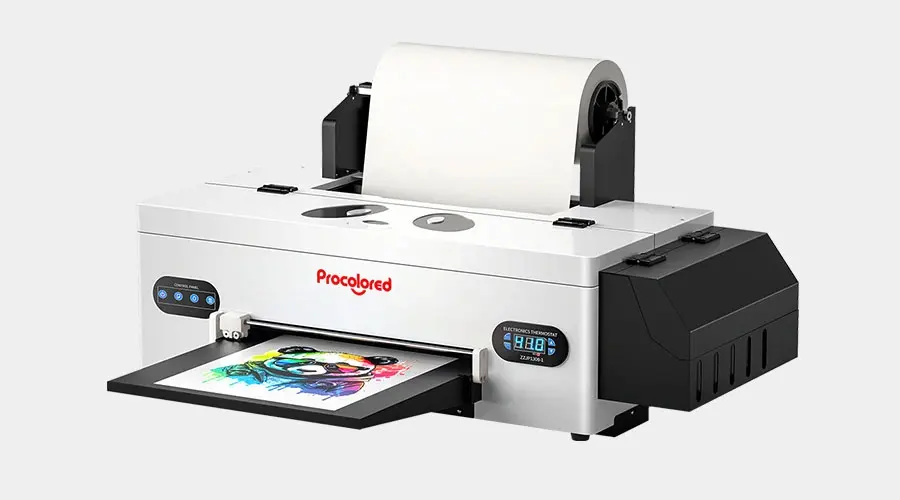
🔹 Epson Desktop Printers
Ideal for small businesses or start-ups that need to convert A4/A3 printers. Common models for conversion:
- Epson L1800
- Epson 1390 / 1400
- Epson R2000 / R3000
- Epson P400 / P600
They’re affordable and compatible with most aftermarket DTF inks and film sizes.
🔹 Converted Large-Format Printers
For higher output and wider printing:
- Epson 4720
- XP600
- i3200
- DX5 / DX7
These models are commonly used in modified or factory-built DTF printers capable of continuous production.
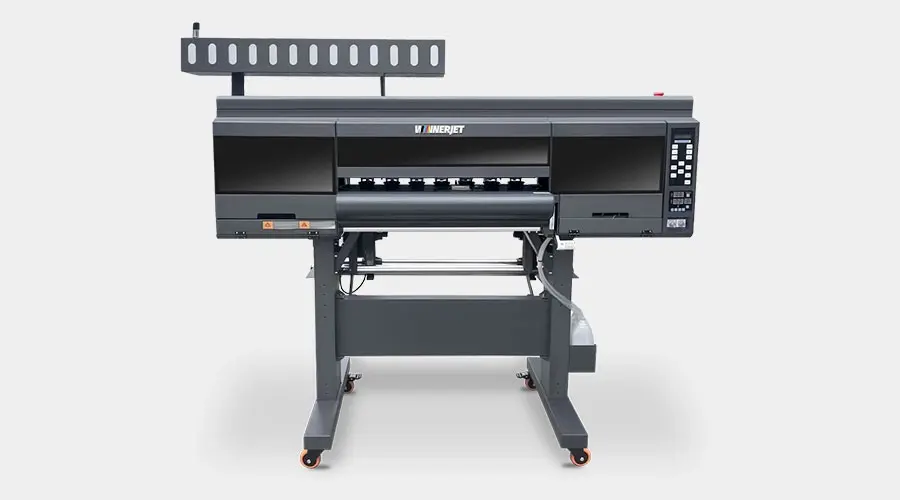
🔹 Converted Large-Format Printers
For higher output and wider printing:
- Epson 4720
- XP600
- i3200
- DX5 / DX7
These models are commonly used in modified or factory-built DTF printers capable of continuous production.
✅ Best Epson Printers for DTF Ink Conversion(2026 update)
If you are looking for a printer to kickstart your DTF journey, Epson is undoubtedly the undisputed king. Drawing upon Winnerjet’s nearly 20 years of industry experience, here are our top three recommended models for 2026:
1. Epson EcoTank ET-8550 (The Top Recommendation)
The modern standard for DIY DTF. It’s faster, has better resolution, and the 6-color system is perfect for white ink setups.
2. Epson XP-15000 (The High-Res Successor)
Think of this as the modern replacement for the L1800. It offers a wider color gamut and is more compact, though it requires slightly more technical skill to convert.
3. Epson L1800 (The “Gold Standard” Classic)
Is it old? Yes. Does it still work? Absolutely. Why it’s still here: It is the most stable and “easy-to-fix” printer ever made for conversion.
If you are on a budget and can find a reliable unit, it’s a safe entry point.
Status: Mostly replaced by the ET-8550/L8180 in new markets.
DTF Compatibility Comparison Table
| Printer Category | Models / Brands | DTF Compatibility | Why? |
|---|---|---|---|
| EcoTank Series | Epson ET-8550, ET-15000, L1800 | Excellent | Easy to convert; 6-ink tanks support White ink. |
| Photo Printers | Epson SureColor P400, P600, P800 | High | Professional print quality and durable Piezo heads. |
| Desktop Inkjet | Epson L805, L1300, XP-15000 | Good | Reliable for small-scale DIY DTF conversion. |
| Office Inkjet | HP OfficeJet, Canon PIXMA | ❌ Never Use | Thermal heads will clog and break immediately. |
| Brother Printers | All MFC / HL Series | ❌ Not Recommended | Most use thermal technology or incompatible ink flow. |
❌ Thermal Inkjet Printers Are Not Compatible
Brands like HP and Canon typically use thermal printheads, which rely on heat to fire droplets — that doesn’t work with DTF ink. The ink can burn, clog, or ruin the printhead.
Avoid using:
- HP DeskJet / OfficeJet
- Canon Pixma / TS / TR series
- Any thermal bubble-jet machine
If you’re unsure, check whether the printer uses a piezo printhead before loading DTF ink.
⚙️ 🛠️ What Modifications Are Needed?
Most non-industrial printers require light conversion before using DTF ink:
🔧 Remove/Disable Ink Chips
Chipless firmware or resetters help bypass OEM ink tracking.
🔧 Install DTF Ink Lines or Cartridges
Replace sublimation or pigment inks with a proper CMYK+W DTF ink setup.
🔧 Add a White Ink Circulation System
To prevent sedimentation and clogging — essential for production.
🔧 Adjust Print Settings
Use RIP software to manage color, ink density, and white layer printing.
🏭 ✔️ Purpose-Built DTF Printers
If you want plug-and-play instead of modifying desktop devices, dedicated DTF printers are best. These machines already include:
- Piezo printheads
- White ink circulation
- Film feeding system
- RIP software compatibility
- Integrated shaker and curing units (in some models)
They’re available in A3, 30cm, 60cm, and 1.2m widths depending on output demand.
🌟 Why Printer Compatibility Matters
Using the wrong printer can lead to:
- Permanent printhead damage
- Ink clogging and maintenance overload
- Poor white ink opacity
- Inaccurate color prints
- Film adhesion issues
Choosing the right hardware saves you rework, money, and downtime.
🧵 Recommended Setup for Beginners
If you’re starting out, here’s a common path:
| Business Stage | Printer Option | Notes |
|---|---|---|
| Testing/Small Runs | Converted Epson L1800 / P600 | Budget-friendly starter |
| Small Shop Production | XP600 / i3200-based DTF Printer | Faster white ink + stable |
| Medium Volume | 60cm Dual-Head DTF Machine | Works with PET roll film |
| Industrial Level | Multi-head i3200 or 4720 | For daily bulk printing |
🚀 Need Better DTF Ink for Your Printer?
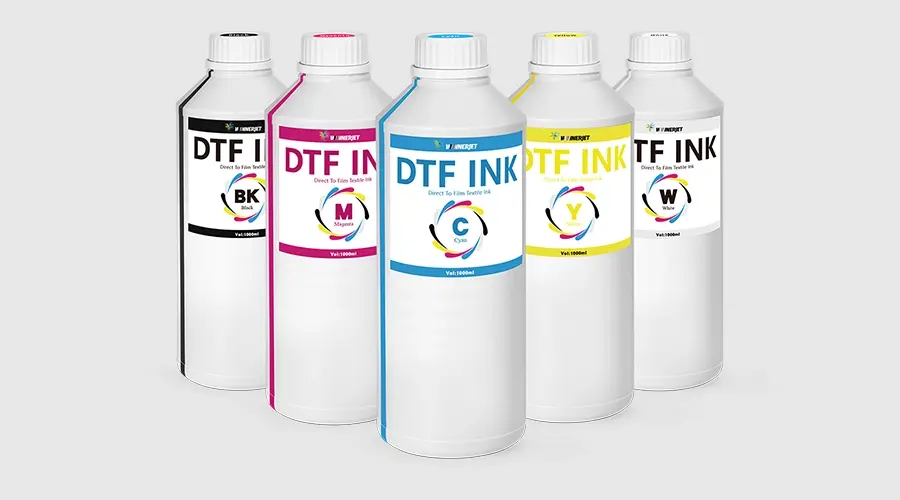
Whether you’re converting a desktop Epson or running a wide-format machine, choosing the right ink makes all the difference. Winnerjet supplies DTF inks compatible with Epson XP600, i3200, L1800, 4720, and more.
📩 Contact us for samples, pricing, or printer-specific guidance.
❓ FAQs (Always at the End)
Can any inkjet printer use DTF ink?
No. Only printers with piezo printheads can use DTF ink safely.
Can I use DTF ink in my Epson EcoTank printer?
Yes, if it uses a piezo head (like L1800 or L805) and is properly converted.
Do I need white ink for all DTF printing?
Yes, unless you only print on white fabrics. White ink is needed as a base layer.
Can I switch between sublimation ink and DTF ink?
Not directly. The printer needs a full flush and a compatible printhead.
What happens if I use DTF ink in a thermal printer?
It can burn the ink, clog nozzles, or permanently damage the printhead.
Can I use DTF ink in a regular inkjet printer?
Not all of them. You can only use DTF ink in printers with Piezoelectric printheads (mainly Epson). Regular printers from HP or Canon use thermal heads, which are not compatible and will clog instantly.
What is the best Epson printer for DTF conversion?
The Epson EcoTank ET-8550 and L1800 are the top choices. For high-resolution desktop needs, the XP-15000 is also excellent. These models are widely supported by RIP software and handle white ink well.
Why can't I use DTF ink in HP or Canon printers?
HP and Canon use Thermal inkjet technology, which heats the ink to spray it. DTF ink is heat-sensitive and will “bake” inside the printhead, causing permanent damage. Epson uses cold Piezo technology, which is safe for DTF pigments.







