In this guide, we’ll cover the most common reasons why DTF powder won’t melt and how to solve them step by step.
| DTF Powder Type | Melting Point | Curing Temperature (Oven) | Heat Press (Hover) Time |
|---|---|---|---|
| TPU Medium/Fine (White) | 110°C – 125°C (230°F – 257°F) | 130°C – 150°C (266°F – 302°F) | 120 – 180s |
| Black DTF Powder | 120°C – 135°C (248°F – 275°F) | 140°C – 155°C (284°F – 311°F) | 120 – 180s |
How to Tell If Your DTF Powder Is Melted Properly
Before troubleshooting, inspect the texture of your cured transfer to identify the exact issue:
Melted Properly (Ideal): The surface shows a subtle orange peel texture with a semi-gloss sheen, zero visible white specks, and uniform light reflection.
Under-cured (Not Melted): The powder looks grainy, chalky, or white/frosty, feeling rough to the touch and peeling off easily.
Over-cured (Burnt): The adhesive layer develops bubbles, turns yellowish, or becomes brittle, which damages stretchability.
DTF Powder Melting Troubleshooting Guide
Based on Winnerjet Lab test data on TPU Hot-Melt Adhesive Powders, if your DTF transfer isn’t curing correctly, one of these factors could be the culprit:
1. Powdery/Chalky White Residue After Heating
✅ Problem: Curing temperature is too low, or heat press hover height is too high (heat loss).
✅ Solution: Set your curing temperature to 266°F – 320°F (130°C – 160°C) depending on your equipment (130°C–150°C for DTF ovens, or around 150°C–160°C when hovering with a heat press). Use an infrared thermometer to check the actual surface temperature.
2. Patchy Melting (Melted in the Middle, Powdery at the Edges)
✅ Problem: Uneven heating elements or cold spots on the heat platen/oven tray.
✅ Solution: Use an infrared thermometer to map temperature across your heating area. Rotate the PET film 180° halfway through curing or reposition the film to the hot zone.
3. Adhesive Layer Bubbling or Turning Yellow
✅ Problem: Excessive curing temperature or over-baking beyond recommended cycles.
✅ Solution: Immediately lower the temperature by 10°C–15°C (18°F–27°F) and reduce curing time to under 120 seconds. Check that your heating element is not directly contacting the film.
4. Powder Clumping and Incomplete Fusion
✅ Problem: High humidity exposure causing TPU powder moisture absorption.
✅ Solution: Store DTF powder in a sealed, moisture-proof container with desiccant packets at 40%–60% RH. Pre-dry damp powder in a low-temp environment before application.
5. Transfer Peels Off Garment After Washing
✅ Problem: Incomplete resin cross-linking due to insufficient heat penetration into the garment fibers.
✅ Solution: Perform a 2-step press: First press transfer at 150°C – 160°C for 15 seconds with medium-high pressure, peel film cold/hot according to film specs, then apply a 5-second post-press with parchment paper.
How to Fix DTF Powder That Won’t Melt
Step 1: Double-check your temperature settings and adjust if needed.
Step 2: Increase curing time to allow the powder to melt entirely.
Step 3: Ensure your curing unit distributes heat evenly across the transfer.
Step 4: Use a high-quality DTF powder designed for your specific setup.
Step 5: Perform a test print before running large batches.
Best Practices to Prevent DTF Powder Issues
✔ Preheat your heat press before use.
✔ Store DTF powder in a dry place to prevent moisture buildup.
✔ Follow the manufacturer’s recommended temperature and curing time.
✔ Clean your heat press or oven regularly to remove residue buildup.
Final Thoughts
If your DTF powder isn’t melting, don’t panic! Check your temperature, curing time, and powder quality, and follow these troubleshooting steps. With the proper setup, you’ll achieve perfectly cured DTF prints every time.
❓ Still need help? Please contact us! Let’s explore together!
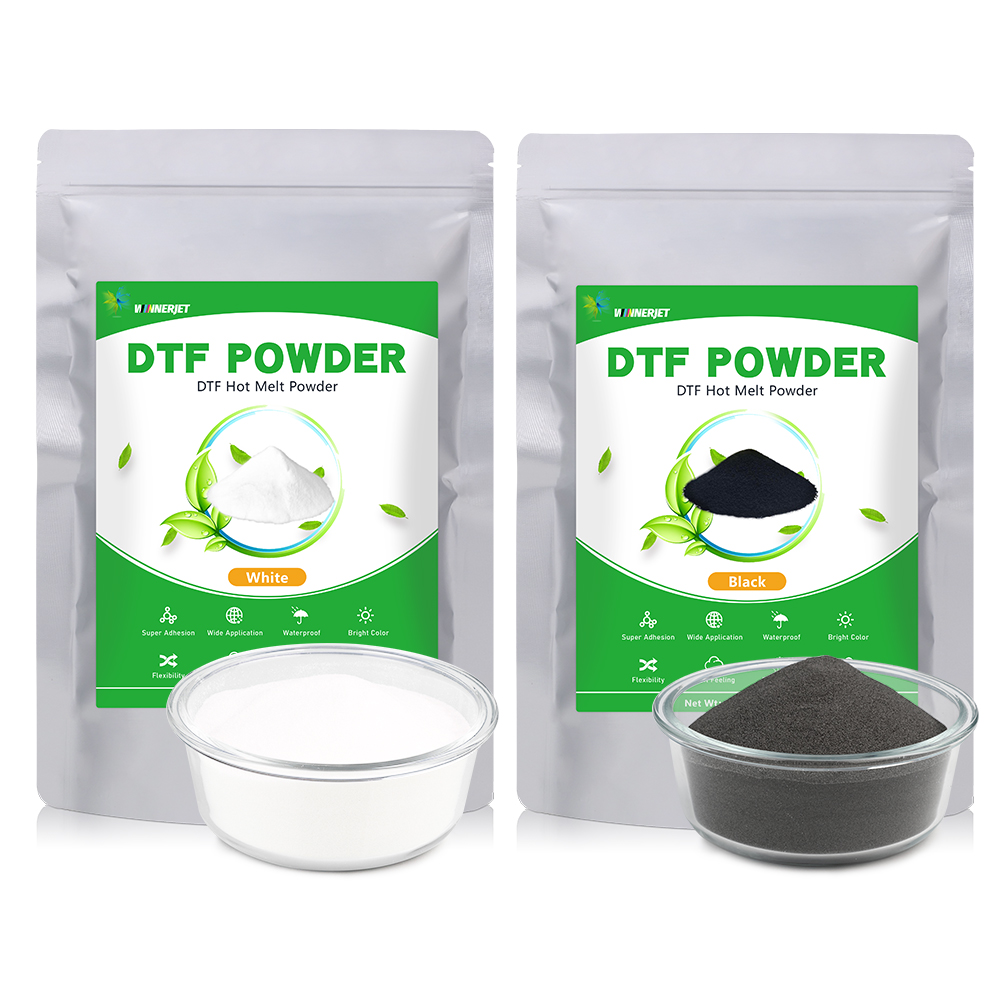
Winnerjet provides high-quality DTF Powder, you can contact us to get free samples for testing.
FAQS
What is the ideal melting point and curing temperature for DTF powder?
The melting point of standard white TPU powder is 110°C–125°C, with a recommended oven curing temperature of 130°C–150°C; the melting point of black powder is 120°C–135°C, with an oven curing temperature of 140°C–155°C.
How do I cure DTF powder with a heat press?
Set the heat press to 150°C – 160°C (300°F – 320°F) and hover the heated upper platen 1 – 2 cm above the film (do not press down directly); hover-bake for 120 – 180 seconds until the surface develops a smooth “orange-peel” texture.
How do I know if my DTF powder is fully melted?
Observe the surface texture. A fully cured adhesive layer exhibits a slightly glossy “orange peel texture” and is free of white powdery particles; a whitish, grainy surface indicates under-curing, while blistering and yellowing indicate over-curing.
Why is DTF powder sticking to the film where there is no ink?
This is primarily caused by static electricity accumulation or ambient humidity levels that are too high or too low. The issue can be resolved by using anti-static PET film, lightly flicking the back of the film before powder application, or installing static eliminators or humidifiers in the workspace.
Why is my DTF transfer not sticking to the shirt after pressing?
Common causes include insufficient initial heat-pressing pressure, the adhesive powder failing to fully penetrate the fiber interstices, or the omission of a secondary pressing step. It is recommended to place a sheet of release paper (or parchment paper) over the design after peeling off the film and apply a secondary press for 5 seconds to set the adhesive layer.
Why is my DTF powder melting unevenly?
Uneven heating from the hot plate or oven heating elements can create cold zones. To address this, you can rotate the film 180° horizontally halfway through the baking process, or use an infrared thermometer to identify and avoid low-temperature edge areas.