
Choosing the right DTG ink can save thousands annually while maintaining quality—or cost you more in the long run.
Here’s the thing about DTG printing. It’s not just about having a good printer. The ink you feed that machine? It makes or breaks your business.
DTG—direct-to-garment printing—changed the custom apparel game. You can print full-color designs directly onto t-shirts, hoodies, whatever. No screens. No setup fees. Just design to fabric. It’s pretty incredible when you think about it.
But ink choice. This is where people mess up.
You’ve got two main options. Genuine ink from the printer manufacturer. Or compatible ink from third-party companies. The price difference is massive. We’re talking 40-60% savings with compatible. Sometimes more.
So why doesn’t everyone just use compatible ink?
Because it’s complicated. There’s the warranty question. The quality question. The “will this clog my $10,000 printhead” question.
I’ve seen shops save a fortune switching to quality compatible inks. I’ve also seen people cheap out and destroy their equipment. Both happen.
This guide breaks down everything. Quality, warranty implications, actual costs, printhead longevity. Real comparison. No fluff.
Let’s get into it.
What is DTG Ink?
DTG ink is specialized ink made specifically for printing on fabric. That’s the simple version.
It’s water-based. Contains pigments that bond with textile fibers. Different from your regular inkjet ink—like, completely different chemistry.
You can’t just pour some HP ink into a DTG printer and expect magic. Doesn’t work like that. DTG printing ink needs specific formulations. The particle size matters. The viscosity matters. How it reacts to heat matters.
Different fabrics need different approaches too. Cotton loves DTG ink. Polyester? That’s trickier—needs different formulations or pre-treatment methods.
The ink has to do a lot of work. Absorb into fibers. Survive washing. Not crack. Not fade. Stay vibrant after the 50th wash.
Textile ink for garment printing is its own category. And within that category, you’ve got genuine OEM stuff and compatible alternatives. Both claiming to do the same job.
How DTG Ink Works in Garment Printing
The process is more involved than people realize.
First, you apply pre-treatment to the garment. This is crucial—especially for dark shirts. Pre-treatment is basically a primer. It helps the ink bond properly and makes white ink actually show up on dark fabric.
Then the printer lays down ink in layers. CMYK for color—cyan, magenta, yellow, black. Standard stuff. But here’s the DTG twist: white ink goes down first on dark garments. Creates a base. Then colors print on top.
After printing, you cure the ink. Heat setting. Usually a heat press at around 330°F for 60-90 seconds. Or a conveyor dryer for higher volume.
The curing fuses everything together. Ink bonds to fibers. Becomes part of the fabric.
Skip proper curing? Your print washes out. Guarantee it.
Types of DTG Ink Available
Understanding what’s actually on the market helps you make smarter choices. Not all ink is created equal—even within the same category.
1. Genuine OEM DTG Ink
Genuine ink comes from the printer manufacturer themselves. Epson makes ink for Epson printers. Brother makes ink for Brother machines. Kornit for Kornit.
Simple concept.
The main brands you’ll see:
- Epson UltraChrome DG (and DG2)
- Brother GT ink series
- Kornit NeoPigment
These inks are specifically formulated for their machines. The manufacturer designed both the printer and the ink to work together. They’ve tested everything. They know the exact specifications.
Original manufacturer ink comes with warranty protection. Use genuine ink, your warranty stays intact. No questions asked.
That’s the big selling point really. Peace of mind. Predictability. You know what you’re getting.
The downside? Cost. OEM ink is expensive. Really expensive.
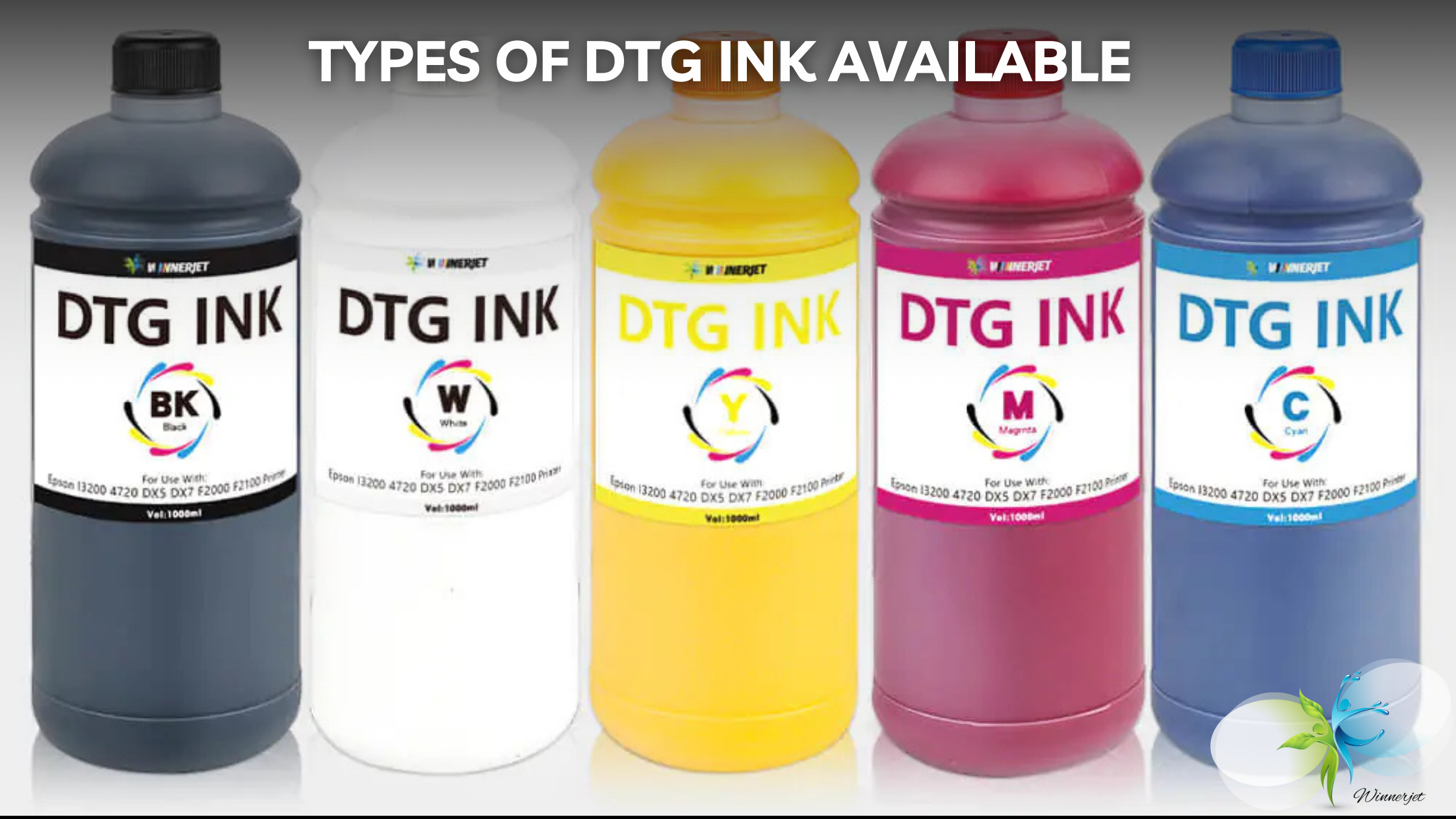
2. Compatible Third-Party DTG Ink
Compatible ink is made by other companies. Not the printer manufacturer. Third-party manufacturers who design formulations to work with specific printer models.
Companies like Winnerjet, Dupont, Image Armor—they reverse-engineer the chemistry. Study what makes OEM ink work. Then create their own versions.
The price difference is significant. We’re talking 40-60% cheaper in most cases.
But here’s what you need to understand: quality tiers exist in compatible inks.
You’ve got premium compatible ink that genuinely rivals OEM quality. Professional-grade stuff with proper certifications and consistent batches.
Then you’ve got cheap compatible ink. Budget options from random suppliers. Hit or miss. Sometimes literally hit—your printhead.
Aftermarket ink isn’t inherently bad. Third-party ink from reputable manufacturers can be excellent. But you have to be selective. Really selective.
3. Remanufactured DTG Ink
This is less common in DTG, but worth mentioning.
Remanufactured means recycled or refilled cartridges. Someone takes an empty OEM cartridge and refills it with new ink.
Different from compatible ink—compatible uses new cartridges with third-party ink. Remanufactured reuses old cartridges.
Most DTG operations use bulk ink systems anyway. Cartridge-based DTG is less common at professional levels.
I’m including this for completeness. But honestly, if you’re looking at DTG ink options seriously, you’re probably choosing between genuine and compatible. Not remanufactured.How Can I Refill Ink Cartridges?
Genuine vs Compatible DTG Ink: Complete Comparison
Alright. This is the meat of it.
Both options have pros and cons. Anyone telling you one is universally better is either selling something or hasn’t actually run a DTG operation.
Your best choice depends on your business. Volume. Risk tolerance. Technical expertise. Where you are in your warranty period.
Let me break down each factor.
1. Print Quality & Color Accuracy
This is what matters most, right? What comes out of the printer.
Genuine Ink:
Consistent color profiles. Batch after batch after batch.
Precise Pantone matching when you need it. The profiles are built specifically for your printer model. You load them up and colors look right immediately.
Predictable results. That’s the real value. A client approves a sample, you know the production run will match.
The ink is optimized for your specific printheads too. Flow rate, particle size—it’s all dialed in.
Compatible Ink:
Here’s where it gets interesting. Quality varies. A lot.
High-quality compatible ink from established brands? Can absolutely match OEM performance. I’ve seen Winnerjet and similar premium compatible inks produce results that are indistinguishable from genuine. Side by side. Same printer. Can’t tell the difference.
But cheaper compatible options? Different story. Color accuracy suffers. Some show fading issues after washing. Vibrancy can be inconsistent.
You typically need to adjust color profiles with compatible ink. Sometimes create custom ICC profiles. Extra work upfront.
The thing is—quality compatible inks have closed the gap significantly. Five years ago, there was a real difference. Now? Premium compatible ink competes head-to-head with OEM on quality.
Washability test results matter here. Run 10, 20, 50 wash cycles. Quality compatible ink holds up just as well. The cheap stuff doesn’t.
2. Printer Warranty & Support Implications
This is the scary part for most people. Let’s talk about it honestly.
Using Genuine Ink:
Full manufacturer warranty stays intact. No questions.
You call tech support, they help you. No “what ink are you using?” interrogation first.
Zero risk of warranty disputes. Sleep soundly.
Using Compatible Ink:
May void your warranty. Emphasis on may.
Here’s what most people don’t know about US law: The Magnuson-Moss Warranty Act.
Important: In the US, using compatible ink cannot automatically void your warranty unless the manufacturer proves the ink caused the specific damage.
Read that again. They can’t just say “you used third-party ink, warranty voided.” They have to prove the compatible ink caused whatever problem you’re having.
Proving causation is hard. Especially when quality compatible inks use similar chemistry to OEM.
That said—different manufacturers have different attitudes. Some are aggressive about denying claims. Others are more reasonable. Epson tends to be stricter. Your experience may vary.
If you’re running a new printer and something fails, you want that warranty. Real talk. Printhead replacement costs $500-$2000. That’s money you don’t want to gamble.
But if your printer is out of warranty anyway? The warranty argument disappears entirely.
3. Cost Analysis & ROI
Let’s talk numbers. Because this is where compatible ink gets really attractive.
Genuine Ink Costs:
$200-$400 per liter depending on brand and color. White ink usually costs more.
Premium pricing model. No way around it.
Sometimes you find bundle deals. Manufacturers offer discounts if you buy full sets. But you’re still paying a premium.
Compatible Ink Costs:
$80-$180 per liter. Varies by brand and quality tier.
That’s 40-60% savings. Typical range.
For high-volume printers, these savings compound fast.
4. Printhead Longevity & Clogging Issues
This is what keeps DTG operators up at night. Printhead clogging.
Your printhead is the most expensive consumable part. Costs $500-$2000 to replace depending on model. You really, really don’t want to kill it early.
Genuine Ink:
Formulated for specific printhead specifications. They know the exact nozzle size and flow requirements.
Optimized viscosity. Optimized particle size. Everything is dialed in.
Compatible Ink:
Quality varies significantly here.
Premium compatible inks from manufacturers like Winnerjet invest heavily in particle size consistency. They match OEM specifications because they know what’s at stake.
5. Color Consistency & ICC Profiles
This matters for production efficiency. A lot.
Genuine Ink:
Pre-built ICC profiles available. Download from manufacturer, load into RIP, done.
Color consistency guaranteed. Same profile works today, next week, next year.
Standard profiles work immediately. Minimal setup time. Start printing production jobs right away.
Compatible Ink:
May require custom ICC profile creation. Or at least profile adjustments.
Color can vary between batches. Quality brands minimize this, but it’s a factor.
Professional compatible brands provide ICC profiles. Winnerjet and similar companies know this is a pain point. They provide profiles for major printer models. Makes the switch easier.
Initial setup time needed. You’re going to spend some hours getting colors right. Test prints. Adjustments. More test prints.
6. Shelf Life & Storage Requirements
Practical stuff that affects your operations.
Genuine Ink:
12-24 month shelf life typically. Check the date on the bottle.
Storage temperature requirements: 15-25°C (59-77°F). Climate controlled environment.
Sealed vs opened: big difference. Sealed cartridges last longer. Once opened, use within months.
Compatible Ink:
Similar shelf life. 12-18 months is typical.
May require more careful storage. Pigment settling is more of an issue with some compatible inks.
7. Environmental & Safety Considerations
Increasingly important for businesses and customers.
Genuine Ink:
Clear certification documentation. GOTS certification, Oeko-Tex, CPSIA compliance—all documented.
Tested safety profiles. SDS (Safety Data Sheets) readily available.
Compatible Ink:
Varies by manufacturer.
Reputable brands have the same certifications. Winnerjet and similar professional-grade compatible inks carry proper certifications. They have to—their customers demand it.
Check for SDS documentation. Any legitimate ink supplier provides this. If they can’t produce safety documentation, walk away.
Eco-friendly DTG ink exists in both categories. Don’t assume genuine is safer. Check the certifications.
What Factors Should You Consider When Choosing DTG Ink?
No one-size-fits-all answer here. Your situation determines your best choice.
1. Business Size & Print Volume
Low Volume (Under 100 Prints/Month):
Genuine ink might make more sense.
Your ink costs aren’t huge anyway. Savings are modest in absolute dollars. Warranty protection is valuable—you’re probably still under warranty if you’re printing low volume.
Lower financial risk path.
Medium Volume (100-500 Prints/Month):
Quality compatible ink becomes attractive.
Savings are more significant now. Thousands per year instead of hundreds.
How old is your printer? What’s your risk tolerance?
High Volume (500+ Prints/Month):
Compatible ink savings are substantial.
Can afford to manage warranty risk. If a printhead dies, you’ve probably saved enough on ink to cover replacement.
Professional compatible brands are strongly recommended at this level.
2. Printer Age & Warranty Status
New Printers Under Warranty:
Consider genuine ink initially. Or at least read your warranty terms carefully.
That warranty has value. Don’t throw it away casually on a new machine.
Some people run genuine for the first year, then switch. Not a bad strategy.
Out-of-Warranty Printers:
Compatible ink makes more financial sense.
No warranty to void. The main argument for genuine ink disappears.
Leased Equipment:
Check your lease agreement. Some restrict ink choices. Violating lease terms has real consequences.
3. Quality Requirements & Client Expectations
High-End/Luxury Brands:
May require genuine ink for consistency.
When clients pay premium prices, they expect premium consistency. Any variability is unacceptable.
Standard Commercial Work:
Quality compatible ink is sufficient.
Cost efficiency matters more for competitive pricing. Your clients want good prints at fair prices.
Sample/Test Printing:
Always test compatible ink before full production commitment.
Run wash tests. 10, 20, 50 washes. Compare color accuracy to genuine ink samples. Document everything.
4. Technical Expertise & Support Needs
Beginners:
Genuine ink offers more support and reliability.
Pre-built profiles simplify workflow.
Fewer variables to manage while you’re learning.
Support Availability:
Consider your supplier’s support quality. Good compatible ink suppliers provide technical support. Check reviews. Ask questions before buying.
Top Compatible DTG Ink Brands vs OEM Options
The compatible ink market has quality tiers. This matters.
Do your research. Check certifications. Read verified reviews from actual DTG operators. Ask in forums and Facebook groups.
Reputable compatible brands to research:
Budget options exist too. They’re cheap for a reason. Proceed carefully.
OEM options remain the safe choice for those who prioritize zero risk over cost savings. Nothing wrong with that approach. It’s just not the only valid approach.
How to Transition from Genuine to Compatible DTG Ink Safely
For businesses considering the switch, proper transition is critical. Don’t just swap ink and hope for the best.
Step-by-step methodology minimizes risk. It takes time. Worth it.
Step 1: Research and Select Quality Compatible Ink
Don’t just buy the cheapest option on Amazon.
Step 2: Test Before Full Production Switch
Don’t commit before testing. Please.
Step 3: Create or Obtain ICC Profiles
Technical setup phase.
First option: Request ICC profiles from the ink manufacturer. Quality compatible ink brands provide these for major printer models.
Second option: Create custom profiles yourself using a spectrophotometer and profile software.
Many quality compatible ink suppliers provide pre-made profiles. Winnerjet does this for their supported printers. Makes life easier.
Step 4: Implement Proper Cleaning Procedures
This is important. Don’t skip it.
Warning: Never mix genuine and compatible inks in your system.
Complete flush between ink types. Non-negotiable.
Step 5: Monitor Quality and Adjust
Ongoing quality control after the switch.
The first few weeks are critical. Pay attention. Catch problems early.
Frequently Asked Questions About Genuine vs Compatible DTG Ink
Quick answers to common questions.
Can I mix genuine and compatible DTG ink?
No. Never.
You risk printhead clogging, color inconsistencies, and potential printhead damage.
If switching inks:
- Completely flush system with cleaning solution
- Run multiple cleaning cycles
- Install new ink completely
- Run test prints before production
Some technicians recommend installing new dampers when switching ink types. Extra precaution that prevents contamination.
Mixing is the #1 cause of preventable DTG ink problems. Don’t do it.
How long does DTG ink last on garments?
Properly cured DTG prints should last hundreds of washes with minimal fading.
Factors affecting lifespan:
- Ink quality (both genuine and quality compatible perform similarly)
- Proper curing temperature and time (this is huge)
- Fabric quality and type
- Washing conditions (cold water, inside-out, gentle cycle extends life)
- Garment usage and care
Realistic expectations:
- Professional DTG prints should maintain quality for 50+ washes
- After 100+ washes, some fading is normal
- Durability comparable to screen printing when done right
Both genuine and quality compatible inks achieve this. The key is proper processing—especially curing.
Does compatible ink affect print speed?
No. Ink type doesn’t affect printer mechanical speed.
The printing process itself works exactly the same regardless of ink brand. Your printer doesn’t know the difference once everything is dialed in.







